# Theory of Change

## Our Grounding Truths

1. A better tomorrow is only possible when people around us have a better life and when everyone collectively works towards a common good. &#x20;
2. We live in a world where thought leaders even struggle to define the future. And it results in significant uncertainty for young people to navigate their paths forward.
3. To manifest their true potential as innovators, professionals, artists or changemakers, people need to have a maker mindset, and a profound understanding of yourself and the ever-evolving landscape around them. Traditional education, while valuable, can't fully equip you to navigate the challenges of tomorrow.&#x20;

***

## Mission&#x20;

### By 2026, cultivate a thriving maker culture in Kerala to ignite creativity and equip 15,000 young makers with the skills to innovate and shape the future.

*We achieve this with the help of community-based learning models.*&#x20;

***

## The pillars

### Learning Paradigm

Build a learning culture in campus that connect, inspire, and engage students. Enabling hands-on learning and inter disciplinary learning will empower students to be makers. &#x20;

### Community

The power lies in an ecosystem of makers that nurtures a sense of togetherness, fosters a deep sense of belonging, and embrace the practice of paying it forward.&#x20;

### Doing Good

Witnessing how even small actions can positively impact someone's life, fosters empathy and compassion. Volunteering can be a lot of fun too, especially when you're working with a cause you care about and are surrounded by positive people.

### Open Knowledge&#x20;

<mark style="background-color:purple;">K</mark>nowledge should be open — free to access, use, remix, and share. It's how we grow together, building a culture where ideas and discoveries are shared for the greater good.

### Opportunities

While career development is an important aspect of growth, it is not limited to securing a job. It also involves encouraging people to solve real-world problems, innovate in scale, explore their creative potential or build businesses that last. <br>

***

## Philosophy&#x20;

#### Cause Above Self

We put the greater good beyond direct personal gain. Alone, one can make a change, but together we can bring a remarkable lasting impact to the world we live in. Don't settle for individual goals – join us in making a difference that resonates across communities and generations, through the power of collective good.

#### Beyond Career

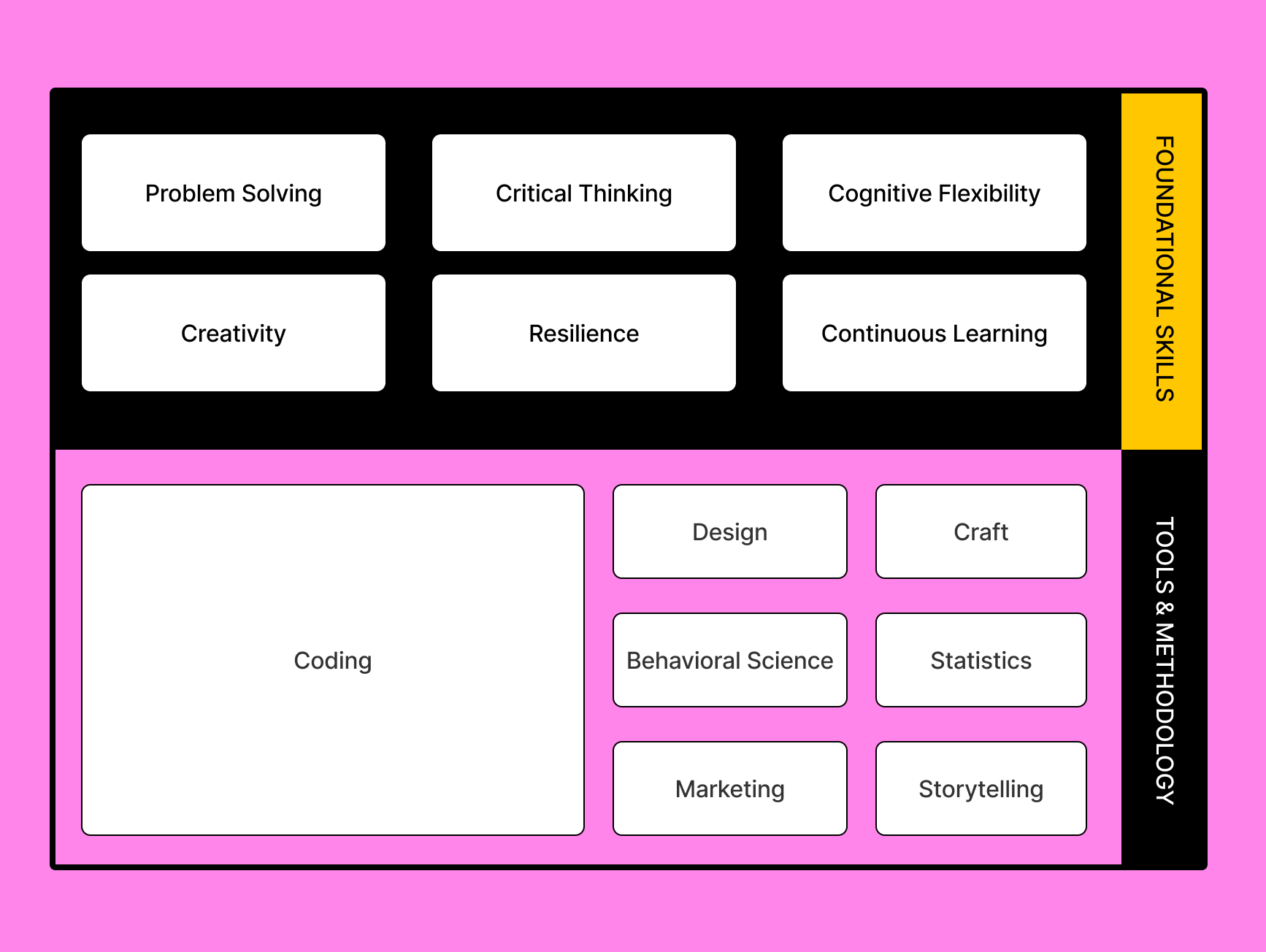
Just like a tree needs strong roots to thrive, we need more than just job skills to succeed in life. In this changing world, new skills like cognitive flexibility, problem-solving, and emotional intelligence are essential, and we focus on growing these life skills through multidisciplinary learning. Ultimately we want everyone to become a well-rounded individual, able to adapt to different situations, think critically, and understand the world better through different perspectives.&#x20;

#### Coding As A Tool

At TinkerHub, we believe coding is more than just a skill—it's a powerful tool for developing problem-solving and critical-thinking abilities. Whether or not you pursue a career in tech, understanding technology can be a foundation for success in any field you choose. By learning to code, you equip yourself with the tools to innovate, create, and excel in an ever-changing world.&#x20;

#### Get Your Hands Dirty

Learn through action- Don't wait for a job offer; you already have the tools to create, innovate, and make an impact. Build your own projects, teach others, solve real problems, and even start your own ventures. In the beginning, you might feel confused or scared, but you’ll grow and understand more with each step you take. We believe in hands-on learning and the power of sharing knowledge.&#x20;

#### Never Give Up

Hard times come and go. The market changes, and learning can be tough. But never give up. We encourage resilience and perseverance. Keep going despite setbacks, and view failures as opportunities to learn and grow.

#### Hakuna Matata&#x20;

Walls are meant to be broken- We ensure that EVERYONE feels welcome, safe, and respected and support each other to ensure no one falls behind. We also recognize that skills are often seen as a measure of a person’s value to an organization. But if you’re worried that you don’t have a top-rated skill, just say Hakuna Matata—no worries! At TinkerHub, learning is accessible to everyone, and we believe that anyone can learn anything. <br>

***

## Shifts

* Students in Kerala will be exposed to maker culture and have access to interdisciplinary knowledge.
* Students will have the foundational skills to build solutions for real-world problems.
* There will be more entrepreneurs, industry leaders, creators, social impact founders, and change makers from the student community.
* Students will have better opportunities including jobs, internships, and volunteering.
* Kerala will have an ecosystem of makers who believe in the betterment of the world around them.

### All of the shifts above contribute to

Better people who can think deeply and widely.<br>

***

## Vision

> ### Everyone has access to the knowledge required to set the course for a better future.


# Learning Activity


# Hardware Activity


# Automatic Light Project: Light-Controlled Illumination with Arduino

**Name**: Arduino-Powered Automatic Light System

**Category**:&#x20;

**Type**:&#x20;

**Summary - oneliner**: A hands-on project to build an automatic light system that controls itself based on ambient light using Arduino and a Light Dependent Resistor (LDR).

**Purpose**: To teach Arduino programming, sensor integration, and basic electronics by creating a practical automatic lighting system, which can be applied to scenarios like streetlights.

**How**:

1. Introduction to Arduino and its components
2. Setup of Arduino IDE and required libraries
3. "Hello World" Blink project to familiarize with Arduino basics
4. Understanding Light Dependent Resistors (LDR)
5. Hardware assembly: connecting LDR module to Arduino
6. Programming the Arduino to read LDR data and control LED
7. Testing and calibration of the device
8. Troubleshooting and refinement
9. Final demonstration and discussion of potential applications

**Expected outcome**:

* A functioning automatic light system controlled by ambient light levels
* Enhanced skills in Arduino programming and electronics
* Understanding of LDR principles and LED control
* Improved problem-solving and troubleshooting abilities
* Knowledge of potential real-world applications for the technology (e.g., streetlights)

**How to measure impact**:

* Successful completion of working projects
* Accuracy and consistency of light detection and LED control
* Participant feedback on learning and skill improvement
* The ability of participants to explain the project's working principles
* Creative ideas for expanding or applying the project

**Pre-project checklist**:

* Acquire all necessary hardware components
* Install Arduino IDE
* Prepare workspaces with the necessary tools
* Create and distribute project guides and wiring diagrams
* Test all equipment to ensure functionality

**Post-project checklist**:

* Collect and analyze participant feedback
* Document common issues and solutions for future reference
* Showcase successful projects and creative variations
* Discuss potential improvements and advanced features
* Provide resources for further learning in Arduino and electronics

**Curated by**: MakerGram

**Ideal audience**: Students, hobbyists, and beginners in electronics and programming. A basic understanding of circuits and programming concepts is helpful but not required.

**Resource Links**

{% embed url="<https://workshop.makergram.com/docs/projects/automatic-light>" %}

**Required Hardware** 🛠

* Arduino UNO x 1
* USB Type-B Cable x 1
* Light Dependent Resistors (LDR) Module x 1
* Jumper Wires
* A Computer

**Required Software** 🖥️

* Arduino IDE


# Smart Light Project: Bluetooth-Controlled Illumination with Arduino

**Name**: Arduino-Powered Smart Light System

**Category**:&#x20;

**Type**:&#x20;

**Summary - oneliner**: A hands-on project to build a smart light system that can be controlled via a smartphone using Arduino and Bluetooth technology.

**Purpose**: To teach Arduino programming, Bluetooth communication, mobile app integration, and basic electronics by creating a practical smart lighting system.

**How**:

1. Introduction to Arduino and its components
2. Setup of Arduino IDE and required libraries
3. "Hello World" Blink project to familiarize with Arduino basics
4. Understanding Bluetooth communication and the HC-05 module
5. Hardware assembly: connecting HC-05 Bluetooth module and LED to Arduino
6. Programming the Arduino to receive Bluetooth commands and control LED
7. Setting up and configuring the "Serial Bluetooth" mobile app
8. Testing and troubleshooting the Bluetooth communication
9. Final demonstration and discussion of potential applications

**Expected outcome**:

* A functioning smart light system controlled by a smartphone
* Enhanced skills in Arduino programming and electronics
* Understanding of Bluetooth communication principles
* Experience with mobile app integration for IoT projects
* Improved problem-solving and troubleshooting abilities
* Knowledge of potential real-world applications for smart lighting technology

**How to measure impact**:

* Successful completion of working projects
* Reliability of Bluetooth control and LED response
* Participant feedback on learning and skill improvement
* The ability of participants to explain the project's working principles
* Creative ideas for expanding or applying the project to other IoT scenarios

**Pre-project checklist**:

* Acquire all necessary hardware components
* Install Arduino IDE
* Download "Serial Bluetooth" app on participants' smartphones
* Prepare workspaces with the necessary tools
* Create and distribute project guides and wiring diagrams
* Test all equipment to ensure functionality

**Post-project checklist**:

* Collect and analyze participant feedback
* Document common issues and solutions for future reference
* Showcase successful projects and creative variations
* Discuss potential improvements and advanced features (e.g., multiple light control, scheduling)
* Provide resources for further learning in Arduino, Bluetooth technology, and IoT

**Curated by**: MakerGram

**Ideal audience**: Students, hobbyists, and beginners in electronics and programming interested in IoT. Basic understanding of circuits and programming concepts is helpful but not required.

**Resource Links**:

{% embed url="<https://workshop.makergram.com/docs/projects/smart-light>" %}

**Required Hardware** 🛠

* Arduino UNO x 1
* USB Type-B Cable x 1
* LED x 1
* HC-05 Bluetooth module x 1
* Jumper Wires
* A Computer
* A Smartphone (for controlling the light)

**Required Software** 🖥️

* Arduino IDE
* "Serial Bluetooth" mobile app


# Seven Segment Display Project: Numeric Display with Arduino

**Name**: Arduino-Powered Seven Segment Display Counter

**Category**:&#x20;

**Type**:&#x20;

**Summary - oneliner**: A hands-on project to interface a seven-segment display with Arduino, creating a simple numeric counter.

**Purpose**: To teach Arduino programming, display interfacing, and basic electronics through the creation of a numeric display system using a seven-segment display.

**How**:

1. Introduction to Arduino and seven-segment displays
2. Setup of Arduino IDE and required libraries (SevSeg)
3. Understanding types of seven-segment displays (Common Cathode vs Common Anode)
4. Hardware assembly: connecting seven-segment display to Arduino
5. Programming the Arduino to control the seven-segment display
6. Implementing a simple counter (0-9) on the display
7. Testing and troubleshooting the display
8. Final demonstration and discussion of potential applications

**Expected outcome**:

* A functioning numeric counter using a seven-segment display
* Enhanced skills in Arduino programming and electronics
* Understanding of display interfacing principles
* Experience with Arduino libraries (SevSeg)
* Improved problem-solving and troubleshooting abilities
* Knowledge of potential real-world applications for numeric displays

**How to measure impact**:

* Successful completion of working projects
* Accuracy and clarity of displayed numbers
* Participant feedback on learning and skill improvement
* The ability of participants to explain the project's working principles
* Creative ideas for expanding or applying the project to other display scenarios

**Pre-project checklist**:

* Acquire all necessary hardware components
* Install Arduino IDE and SevSeg library
* Prepare workspaces with necessary tools
* Create and distribute project guides and wiring diagrams
* Test all equipment to ensure functionality

**Post-project checklist**:

* Collect and analyze participant feedback
* Document common issues and solutions for future reference
* Showcase successful projects and creative variations
* Discuss potential improvements and advanced features (e.g., multi-digit displays, alphabetic displays)
* Provide resources for further learning in Arduino, display technologies, and embedded systems

**Curated by**: Circuit Digest

**Ideal audience**: Students, hobbyists, and beginners in electronics and programming. Basic understanding of circuits and programming concepts is helpful but not required.

**Resource Links**:

* Arduino IDE download page: <https://www.arduino.cc/en/software>
* SevSeg library by Dean Reading: [https://github.com/DeanIsMe/SevSe](https://github.com/DeanIsMe/SevSeg)

{% embed url="<https://circuitdigest.com/microcontroller-projects/interfacing-seven-segment-display-with-Arduino>" %}

**Required Hardware** 🛠

* Arduino UNO x 1
* USB Type-B Cable x 1
* Seven-segment display (Common Cathode or Common Anode) x 1
* Current limiting resistors (330 ohm) x 8
* Jumper Wires
* Breadboard x 1
* A Computer

**Required Software** 🖥️

* Arduino IDE
* SevSeg library


# Digital Scale Project: Distance Measurement with Arduino

**Name**: Arduino-Powered Digital Distance Scale

**Category**:&#x20;

**Type**:&#x20;

**Summary - oneliner**: A hands-on project to build a digital scale that measures distance using an ultrasonic sensor and Arduino.

**Purpose**: To teach Arduino programming, sensor integration, and basic electronics by creating a practical distance measurement device.

**How**:

1. Introduction to the project and basic concepts
2. Setup of Arduino IDE and required libraries
3. Hardware assembly: connecting ultrasonic sensor and LCD to Arduino
4. Programming the Arduino to read sensor data and display on LCD
5. Testing and calibration of the device
6. Troubleshooting and refinement
7. Final demonstration and discussion of potential applications

**Expected outcome**:

* A functioning digital distance measurement device
* Enhanced skills in Arduino programming and electronics
* Understanding of ultrasonic sensor principles and LCD interfacing
* Improved problem-solving and troubleshooting abilities

**How to measure impact**:

* Successful completion of working projects
* Accuracy and consistency of distance measurements
* Participant feedback on learning and skill improvement
* The ability of participants to explain the project's working principles
* Creative ideas for expanding or applying the project

**Pre-project checklist**:

* Acquire all necessary hardware components
* Install Arduino IDE and required libraries
* Prepare workspaces with the necessary tools
* Create and distribute project guides and wiring diagrams
* Test all equipment to ensure functionality

**Post-project checklist**:

* Collect and analyze participant feedback
* Document common issues and solutions for future reference
* Showcase successful projects and creative variations
* Discuss potential improvements and advanced features
* Provide resources for further learning in Arduino and electronics

**Curated by**: MakerGram

**Ideal audience**: Students, hobbyists, and beginners in electronics and programming. A basic understanding of circuits and programming concepts is helpful but not required.

**Resource Links**:

{% embed url="<https://workshop.makergram.com/docs/projects/digital-scale>" %}

**Required Hardware** 🛠

* Arduino UNO x 1
* USB Type-B Cable x 1
* HC04-Ultrasonic sensor x 1
* 16x2 LCD Module x 1
* Jumper Wires
* A Computer

**Required Software** 🖥️

* Arduino IDE


# Useless Project

**Name**: Useless Project

**Category**: Tech

**Type**: Project Building

**Summary - oneliner**: An overnight project-building activity challenging makers to create impractical projects, fostering creativity and skills development in a fun and engaging environment.

**Purpose**: To provide a unique, engaging platform for makers to showcase their technical skills and creativity by creating intentionally impractical projects, all while having fun.

**How**:

1. Set up the venue with necessary infrastructure (Wi-Fi, power outlets, etc.)
2. Welcome participants and assist with registration
3. Facilitate the live-streamed opening ceremony
4. Support idea generation and team formation in both Software and Hardware&#x20;
5. Provide ongoing support and mentorship during project development
6. Oversee project finalization and preparation for presentations
7. Manage local project presentation
8. Participate in the live-streamed closing ceremony

**Expected outcome**:

* Students gain hands-on experience in project development
* Enhanced creativity and problem-solving skills among participants
* Strengthened campus community and increased interest in technology
* A unique, impractical tech project representing your campus

**How to measure impact**:

* The number of makers who completed the project
* Quality and creativity of projects (based on judging criteria)
* Participant feedback surveys
* Social media engagement and reach
* Future participation in tech events on campus

**Pre-event checklist**:

* Secure and prepare the venue (ensuring 18-hour access)
* Set up reliable Wi-Fi and power supply
* Arrange for food, water, and necessities
* Coordinate with campus administration for permissions and support
* Find out interesting makers from your campus as mentors
  * Create a Google sheet template to note down the details {[link here](https://docs.google.com/spreadsheets/d/17GjbxQUlgIbcG73BXxt0EF5Abyn4kSOTejU2QKeOCDk/pubhtml?gid=0\&single=true)}
* Set up documentation equipment
* Brief volunteers on their roles and responsibilities
* Get the list of makers registered on your campus, form a WhatsApp group for the event attend follow-up and early engagement activities
* Make sure all the makers who are attending the event are checked in through the Hub app
* Make sure all the projects are successfully listed in the Hub app

**Post-event checklist**:

* Make sure participants mark their feedback in the Hub app
* Clean up and restore the venue
* Send thank you notes to mentors, supporters
* Share project highlights on social media and campus channels
* Conduct a debriefing meeting with the organizing team
* Follow up with participants from your campus for future engagement opportunities
* Share your feedback with the TinkerHub Foundation team

**Curated by**: Kurian Jacob

**Ideal audience**: Students from all disciplines interested in technology, innovation, and creative problem-solving. There are no specific prerequisites, but basic familiarity with any tech tools or programming languages is beneficial.

**Resource Links**:

* TinkerHub Foundation guidelines for physical Activities :&#x20;
* Sample Project idea: <https://tinkerhub-foundation.notion.site/Project-Ideas-9a276efd807c43b5b50ee241bea4a3db?pvs=4>
* Judging criteria:&#x20;
* Branding Guidelines :&#x20;
* Campus Pitch Deck : <https://www.figma.com/slides/xiHKQYd9IWhJ93z5or63Mz/Useless-Project---Overview?node-id=5-36&t=AnmKg6hanoJFFUXs-1>


# Beyond the Blueprint

A Meta-Learning Study Jam Series to Build Adaptable, Future-Ready Thinkers

#### About Beyond the Blueprint

“Give a man a fish, and you feed him for a day; teach a man to fish, and you feed him for a lifetime.”

In a world defined by rapid technological change, uncertain futures, and complex challenges, Beyond the Blueprint equips learners with one of the most powerful tools of the 21st century: the ability to learn how to learn.

Curated by educator Aruna Kesavan and Gautham from The Second Design, this highly experiential study jam series focuses on meta-learning—the core skill that underpins adaptability, resilience, and creativity. Participants don’t just acquire technical skills; they master the deeper processes of critical thinking, reflection, feedback loops, and lifelong learning.

Through reflective modules, hands-on simulations, and collaborative problem-solving, learners unlock their full potential—not just as professionals, but as confident, self-aware, and future-ready individuals.

<sub>*Following are open-sourced materials curated by The Second Design team who runs the study jam in association with TinkerHub. This can be used to replicate in campuses with the help of materials within the following.*</sub>&#x20;

### Shitty First Drafts

{% embed url="<https://theseconddesign.com/open-source/shitty-first-draft>" %}

### Understanding Agency

{% embed url="<https://theseconddesign.com/open-source/understanding-agency>" %}


# O-Penn Mic

A note from curators: Aswathi Thummarukudy and Varsha Shaheen

Openn Mic

Hey makers,

You know that moment when someone says "ugh, this is so annoying" about something small and everyday, and someone else in the room goes "wait, that happens to me too"? That's basically Openn Mic.

Every month, you show up, you talk, and somewhere in that conversation, something worth working on finds you. Not the other way around.

Am I gonna need to know how to code?

No, genuinely. This is for tech and non-tech folks alike, arts, science, commerce, engineering, whatever you're studying.

A lot of what comes out of this room won't need a single line of code. The ones that do will get there eventually, just not first.

What kind of things are we talking about?

**Pick one of three lanes:**

Something that interests you. A curiosity you've never had space to chase.

Something where you sense a real opportunity. A gap nobody's filled yet.

Something that's a problem. An everyday annoyance you've stopped noticing, or one you'd usually shrug off as "not my problem."

All three count equally. You don't need a "real problem" to justify showing up.

Okay, but what's the actual catch?

Here's the one rule that matters: we don't want you asking Gemini or GPT to hand you an answer. We're not handing you a starting point either, that's on you to find, together, in the room.

Bring what's real. Something you noticed, something you love, something someone said. Let the group sit with it before jumping to fix it.

Tech is a tool to solve for something, not the thinking itself. The nuance, the "but what if," the "wait, why is it like this in the first place," that has to come from people talking to each other first.

**How it actually works**

1\. Show up, check in. No topic yet, just a room where people talk about what's going on. This is where things usually

surface, half by accident.

2\. Pick your one thing. In your first session, name what you want to sit with, interest, opportunity, or problem. Doesn't need to be polished. Stuck? Ask, we'll hand you a few to start from.

3\. Sit with it as a group. Don't rush to fix it. Ask what's actually going on, who this affects, why nobody's dealt with it already.

4\. Everyone throws in a take, no AI, no shortcuts. Each person's own response, independently, before you merge ideas.

5\. Push it with "but what if." As many rounds as it takes. This is where the real understanding shows up.

6\. Only now, ask if tech helps. If a tool or a bit of code genuinely makes this better, great. If not, that's a complete answer too.

7\. Take one small step. Not the whole thing, just the smallest version you can actually try before next session.

8\. Check in again next month. What moved, what didn't, what's next.

Keep a notebook. Bring it every session. Write down what you notice, half-formed ideas, what someone else said that stuck with you, what you tried and what happened. You'll need it, both to pick this back up next month, and to bring to WIT meetups, where you'll be asked what you're working on and how it's moved.

Talk to people who actually live with this, on campus or beyond. You'll understand it better than any amount of guessing, and you might end up building something they've needed for years.

**A few ideas to get you thinking**

The empty pad dispenser. Someone mentioned the dispensers in their hostel are basically always empty. Turned out three others had noticed the same thing and just stopped expecting them to work. First step, someone told facilities.

Next, a shared log of which dispensers run out fastest. Eventually, a notification system alerting the right person when stock's low. Tech showed up last, not first.

The craft show nobody knew they wanted. A few people into arts and crafts realised there was no space on campus where that was visible, no showcase, no way to sell what they made. They started with an informal show and tell at

Openn Mic. Once it was clear people cared, they tried a table at a campus event. Only after that worked did a website to sell online start to make sense, backed by real interest, not a guess.

The problem bigger than one campus. Someone kept missing their bus with no way to check real time timings. They mentioned it at Openn Mic, and someone from a different campus said the same thing happens to them. A one person annoyance turned out to be a shared, cross campus problem worth building for.

The gap nobody could fix but them. Someone in a niche course had no seniors to ask "is this normal, how do I deal with this." Not a rule anyone could change, just nobody around her doing the same thing. She found one alum in a similar field elsewhere and set up a single informal call. That grew into a loose list of women across campuses willing to be asked a question. No one signed off on it. They just made it exist.

So keep an eye out for your next Openn Mic. Bring whatever interests you, whatever opportunity you've spotted, or whatever's bugging you. Sit with it. Push on it. Try the smallest version of an answer.

You don't need to already know how to build something to start.

You just need to notice something worth sitting with.

**Specifics To Be Specific**

**Name**: O-Penn Mic \
**Category**: Discussion Series \
**Type**: Weekly Tech Discussions \
**Summary - oneliner**: A women-exclusive weekly discussion series fostering tech confidence and knowledge sharing across campus communities. \
**Purpose**: To boost women's participation and confidence in tech-related fields through regular discussions, learning, and project sharing. <br>

**How**:

1. Weekly topic release in WIT Leads group and via email
2. Participants review provided learning resources
3. Online discussions with video capability
4. Bi-weekly offline meetups for in-depth discussions
5. Project work based on weekly topics
6. Sharing and voting on best projects <br>

**Expected outcome**:

* Increased confidence among women in tech discussions
* Enhanced knowledge of various tech topics
* Development of presentation and discussion skills
* Creation of a supportive community for women in tech
* Completion of practical projects related to discussion topics <br>

**How to measure impact**:

* Participation rates in online and offline discussions
* Number and quality of projects completed
* Feedback from participants on confidence levels and knowledge gained
* Increase in women's participation in larger tech events (e.g., Useless Projects, Tink Her Hack)
* Long-term tracking of participants' involvement in tech fields&#x20;

**Pre-project checklist**:

* Set up WIT Leads group and campus WIT WhatsApp groups
* Prepare initial set of weekly topics and resources
* Arrange online discussion platform
* Brief WIT Leads on facilitation techniques
* Create project evaluation criteria&#x20;

**Post-project checklist**:

* Collect and analyze participant feedback
* Document best practices for discussions and projects
* Showcase top projects from each week
* Evaluate the need for adjustments in format or content
* Plan for integration of learnings into larger events&#x20;

**Resource Links**:

{% file src="/files/wBT23UWZbdkuRydiWR92" %}

{% file src="/files/6CHc3nKSDvZVXADwe7X3" %}

{% file src="/files/lGhNx3ZbI8I6U00junCB" %}

{% file src="/files/ZzK4iQ1RMSNFtueVoXBh" %}

O Penn Mic Edition 3- Generic Topic: Building side hustle while in college(no doc reference, open flow)

{% file src="/files/Z54Jen0Dwa6k9jfIstWJ" %}

{% file src="/files/jf1Pjt6AjU5qh6BuaQw1" %}

{% file src="/files/LAGmBVj3l0wbtvfJUCQp" %}

{% file src="/files/kMTW1LS1B97jr4kCmmcW" %}

{% file src="/files/rUjOKRIC39pd4jNjX4X4" %}

{% file src="/files/IniEBEIqvsigZGWikSmj" %}

{% file src="/files/DCoGOu8P9l9K5GgkT2wo" %}


# Template Learning Activity

Please create a copy of this template and curate a learnig activity

**Name**: A catchy, descriptive title for the activity.

**Category**: The broad area the activity falls under (e.g., Tech, Soft Skills, Community Building).

**Type**: The activity format (e.g., Workshop, Seminar, Meetup, Hackathon).

**Summary - oneliner**: A brief, engaging sentence that captures the essence of the activity.

**Purpose**: The main goal or objective of the activity. What do you aim to achieve?

**How**: A step-by-step explanation of how the activity will be conducted. Include main agenda items.

**Expected outcome**: What participants should gain or achieve by the end of the activity. List key takeaways.

**How to measure impact**: Methods to evaluate the activity's success and participant learning. Include both quantitative and qualitative measures.

**Pre-event checklist**: Essential tasks to complete before the activity begins. Include logistics, materials, and communications.

**Post-event checklist**: Follow-up tasks to ensure the activity's impact is maximized. Include feedback collection, resource sharing, and next steps.

**Curated by**: Name or team responsible for designing and organizing the activity.

**Ideal audience**: The target group that would benefit most from this activity. Include any prerequisites if applicable.

**Resource Links**: Useful references, tools, or materials related to the activity. Include both preparation and follow-up resources.

This template provides a comprehensive framework for documenting activities, ensuring all important aspects are covered and making it easier for others to understand and potentially replicate the event.

ask about the activity trying to structer it to the teamplate, ask many as questions connected to the activity


# No internet challange

Please create a copy of this template and curate a learnig activity

**Name**: A catchy, descriptive title for the activity.

**Category**: The broad area the activity falls under (e.g., Tech, Soft Skills, Community Building).

**Type**: The activity format (e.g., Workshop, Seminar, Meetup, Hackathon).

**Summary - oneliner**: A brief, engaging sentence that captures the essence of the activity.

**Purpose**: The main goal or objective of the activity. What do you aim to achieve?

**How**: A step-by-step explanation of how the activity will be conducted. Include main agenda items.

**Expected outcome**: What participants should gain or achieve by the end of the activity. List key takeaways.

**How to measure impact**: Methods to evaluate the activity's success and participant learning. Include both quantitative and qualitative measures.

**Pre-event checklist**: Essential tasks to complete before the activity begins. Include logistics, materials, and communications.

**Post-event checklist**: Follow-up tasks to ensure the activity's impact is maximized. Include feedback collection, resource sharing, and next steps.

**Curated by**: Kurian Jacob

**Ideal audience**: The target group that would benefit most from this activity. Include any prerequisites if applicable.

**Resource Links**: Useful references, tools, or materials related to the activity. Include both preparation and follow-up resources.

This template provides a comprehensive framework for documenting activities, ensuring all important aspects are covered and making it easier for others to understand and potentially replicate the event.

ask about the activity trying to structer it to the teamplate, ask many as questions connected to the activity


# Repair Café: Fix, Explore & Learn

**Ideal audience**: The target group that would benefit most from this activity. Include any prerequisites if applicable.

**Resource Links**: Useful references, tools, or materials related to the activity. Include both preparation and follow-up resources.

**Category:** Tech, Community Building, Open Hardware

#### **Type:** Hands-on Meetup, Repair & Tinkering Session

#### **Summary - One-liner:** An event where people bring their gadgets, open them up, explore how they work, and learn the mindset of repair and making, rather than just fixing.

### **Purpose:**

This event is inspired by the **Repair Café movement** (<https://www.repaircafe.org/>), but with a different focus. Here, we are **not guaranteeing that your device will be repaired**. Instead, we aim to **revive curiosity**—the same curiosity that leads many makers to open up their first RC car, radio, or broken gadget just to see what’s inside.

Over time, many of us **lose that curiosity** to explore and experiment. This event is about **reigniting that mindset** by creating a space where people feel comfortable **opening up their devices, understanding their components, and learning how they work**.The goal is to **create a space where people feel comfortable opening up their devices, exploring their components, and understanding how they work**. Even if the gadget isn’t fixed, participants will walk away with a **better understanding of electronics, repairability, and open hardware**. It’s about learning, experimenting, and thinking about **how things can be improved**.

***

### **Who Can Join?**

This event is open to two types of participants:

1. **People who bring gadgets to explore or repair:** Those who have broken or old gadgets they want to open up and understand.
2. **People interested in hardware and making:** Those who may not have a gadget to fix but are curious about hardware, electronics, and repair culture.

Both groups can learn from each other, share tools, and collaborate.

***

### **How the Activity Will Happen:**

#### **Step 1: Welcome & Introduction (10:00 AM - 10:30 AM)**

* Introduction to the **mindset of repair**—why it’s important to explore and understand how things work
* Discussion on how many makers **start by opening up machines** out of curiosity
* Participants introduce their gadgets and what they hope to explore

#### **Step 2: Hands-on Repair & Tinkering (10:30 AM - 1:30 PM)**

* Participants open up their gadgets to see what’s inside
* Guidance from knowledgeable attendees on basic troubleshooting and repair techniques
* Conversations on **why products fail, how they can be improved, and how repairable they are**
* Collaboration with others to **exchange ideas and tools**

#### **Step 3: Lunch Break (1:30 PM - 2:00 PM)** *(Bring your own lunch; refreshments provided)*

#### **Step 4: Learning & Sharing (2:00 PM - 4:00 PM)**

* **Short Talks (15-20 minutes each):**
  * Why Repairing Matters: Right to Repair and Sustainability
  * How Curiosity Leads to Innovation: The Maker Journey
  * Open Hardware: How Open-Source Electronics and DIY Communities Are Changing Tech
  * Basic Fixing Skills: Soldering, Circuit Checking, Component Replacement
* **Show & Tell:** Participants share what they discovered, whether or not their device was fixed

#### **Step 5: Wrap-Up & Networking (4:00 PM - 5:00 PM)**

* Reflection on **what participants learned and what surprised them**
* Exchange of contacts for future collaboration
* Discussion on **how to continue learning and applying repair skills**

***

### **What Participants Will Gain:**

* **A shift in mindset**—seeing technology as something that can be opened, explored, and modified
* **A better understanding of how electronics work**
* **Hands-on experience** with tools and basic troubleshooting
* **Awareness of open hardware** and how communities around the world are working towards repair-friendly tech
* **Connections with fellow tinkerers** who share a curiosity for exploring and improving devices
* **Inspiration to continue learning** and experimenting with hardware, even if their device wasn’t fully repaired

***

### **How We’ll Measure Impact:**

#### **Quantitative Measures:**

* Number of participants who actively opened their devices
* Number of people who attended for the first time
* Number of participants who expressed interest in future repair or maker events

#### **Qualitative Measures:**

* Feedback from participants on what they learned
* Stories of discoveries—what participants found inside their gadgets
* Observations of collaboration and problem-solving moments
* Interest in open hardware and repair culture after the event

***

### **Pre-Event Checklist:**

* Secure a venue with tables, chairs, and power outlets
* Promote the event and manage registrations (maximum 50 participants, invite-only)
* Set up a **community tool station** (screwdrivers, pliers, soldering kits, etc.)
* Arrange short talks or invite speakers
* Organize refreshments for attendees

***

### **Post-Event Checklist:**

* Collect participant feedback
* Share **photos, key takeaways, and participant experiences** with the community
* Create a **simple repair guide** or key learnings document for attendees
* Plan future meetups or an online space for discussions

***

### **Who Should Join:**

* People who enjoy **tinkering with hardware and electronics**
* Students, hobbyists, and **anyone curious about how gadgets work**
* Those interested in **sustainability, repair culture, and open hardware**
* Anyone with a **broken device and a willingness to explore**

*No prior experience needed—just bring a device and an open mind.*

***

**Curated by**: Kurian Jacob

### **Useful Links:**

* **Repair Café Movement:** <https://www.repaircafe.org/>
* **Right to Repair Movement:** <https://repair.org/>
* **Basic Fixing Guide:** <https://ifixit.com/>
* **Community Repair Initiatives:** <https://restartproject.org/>
* **Open Hardware Community:** <https://openhardware.space/community/>
* **Open Source Hardware Association:** <https://www.oshwa.org/>
* **Open Hardware Projects & Designs:** <https://www.openhardware.io/>
* <https://www.isfixable.com/>

***

### **Final Thoughts**

This event is about **reviving the natural curiosity that leads to making, repairing, and innovating**. Whether participants successfully fix their device or not, they will leave with a **deeper understanding of technology, repair culture, and open hardware**.


# Study Jam


# Intro to Computer Architecture & Assembly Language

**Name**: Intro to Computer Architecture & Assembly Language

**Category**: Education, Technology, Community Learning

**Type**: Study Jam

**Summary - oneliner**: A hands-on study jam where students explore how computers work at the lowest level by learning assembly language and basic computer architecture.

**Purpose**:\
To provide students with foundational knowledge of how computers execute instructions at the hardware level, develop an appreciation for low-level programming, and build a peer-learning community around systems thinking and computer internals.

**Core Concepts Coverage**:

* Basics of Computer Architecture (CPU, RAM, Registers)
* Number Systems (Binary, Hexadecimal)
* Assembly Language Syntax and Semantics
* Registers, Memory Access, and Stack Operations
* Instruction Set Architecture (ISA)
* Arithmetic and Logic Operations
* Branching and Control Flow
* Writing and Debugging Simple Programs
* System Calls and I/O Operations
* Connecting Assembly to High-Level Language Concepts

**How**:

1. Program Registration via Hub App (minimum 10 students)
2. Weekly Study Sessions:
   * Session 1: Concept deep dive (architecture + syntax)
   * Session 2: Guided coding (NASM/MASM or online simulator)
   * Session 3: Hands-on project or peer debug session
3. Use online simulators (e.g., emu8086, PCSPIM, or OnlineGDB Assembly)
4. Offline meetups to walk through architecture diagrams and code execution
5. Peer group code review and low-level debugging exercises

**Expected outcome**:

* Understanding of how code interacts with hardware
* Practical exposure to Assembly syntax and structure
* Foundational systems knowledge for future OS/compilers courses
* Enhanced debugging and logical reasoning skills
* Peer group support and collaborative problem-solving habits

**How to measure impact**:

* Weekly project/code review sessions
* Progress tracking via practice exercises and mini-projects
* Participant engagement in discussion and code walkthroughs
* Final mini-project demonstrating understanding (e.g., a calculator in assembly)
* Self and peer assessments

**Pre-event checklist**:

* Register program on the Hub App
* Choose the assembly language variant (e.g., x86 NASM or MIPS)
* Prepare starter guides and tool/simulator links
* Share a list of required software/simulators
* Design a 4–6 week curriculum outline
* Onboard group coordinators and mentors

**Post-event checklist**:

* Collect feedback via Hub App or feedback forms
* Celebrate and share notable projects/demos
* Connect participants with further systems/OS learning tracks
* Publish a “Beginner’s Journey to Assembly” guide
* Recommend open-source contribution opportunities in low-level systems
* Plan continuation into compilers/OS/build-your-own-CPU learning paths

**Curated by**: Foundation

**Ideal audience**: Students curious about how computers really work, interested in low-level programming or systems thinking. No prior assembly experience required, but basic programming knowledge is helpful.

**Resource Links**:

* PCSPIM Simulator for MIPS
* [Emu8086 (x86 Simulator)](http://www.emu8086.com/)
* OnlineGDB Assembly Editor
* x86 Assembly Guide - Wikibooks
* MIPS Assembly Programming - Carnegie Mellon


# Intro to computer science - Python

**Name**:  Intro to Computer Science - Python

**Category**: Education, Technology, Community Learning

**Type**: Study Jam

**Summary - oneliner**: A collaborative learning program where first-year students master computer science fundamentals through Python while building a strong peer learning community.

**Purpose**: To build a strong foundation in computer science fundamentals through Python programming in a peer-learning environment, while fostering a supportive campus tech community.

**Core CS Fundamentals Coverage**:

* Introduction to Programming Logic
* Variables and Data Types
* Control Structures (if/else, loops)
* Functions and Methods
* Lists and Arrays
* Basic Algorithms
* Debugging Fundamentals
* Problem-Solving Approaches
* Basic Object-Oriented Programming Concepts

**How**:

1. Program Registration via Hub App (minimum 10 students)
2. Weekly Study Sessions:
   * Session 1: Course content review
   * Session 2: Practice problems
   * Session 3: Peer programming and doubt clearing
3. Progress tracking through Khan Academy course completion
4. Physical meetups for collaborative learning
5. Group discussions and problem-solving sessions

**Expected outcome**:

* Solid understanding of computer science fundamentals
* Practical Python programming skills
* Experience with peer learning methodology
* Integration into the campus tech community
* Development of problem-solving skills
* Building connections with like-minded peers

**How to measure impact**:

* Weekly physical meetup discussions
* Course completion progress tracking
* Peer review sessions
* Group problem-solving success rates
* Active participation in discussions

**Pre-event checklist**:

* Register program on the Hub App
* Set up clear participant requirements
* Create study group guidelines
* Prepare meeting schedule
* Ensure access to necessary computing resources
* Set up communication channels
* Identify group coordinators

**Post-event checklist**:

* Collect feedback through the Hub App
* Connect participants to TinkerHub community
* Share success stories
* Introduction to campus tech communities
* Plan for continued learning paths
* Create documentation of the learning journey

**Curated by**: Kurian Jacob

**Ideal audience**: First-year students interested in computer science and programming, with no prior experience required but a strong commitment to learning.

**Resource Links**:

* Khan Academy Python Course: <https://www.khanacademy.org/computing/intro-to-python-fundamentals>


# Version Control & GitHub Essentials

**Name**: Version Control & GitHub Essentials

**Category**: Education, Technology, Community Learning

**Type**: Study Jam

**Summary - oneliner**: A beginner-friendly, hands-on program to learn Git and GitHub for version control, collaboration, and open-source contribution.

**Purpose**:\
To help students and early developers build confidence in using Git and GitHub effectively for version control, collaboration, and contributing to real-world projects—all in a peer-learning environment.

***

#### Core Concepts Coverage:

* What is Version Control? Why Git?
* Installing Git and Setting Up GitHub
* Basic Git Commands (init, add, commit, status, log)
* GitHub Repositories and Remote Setup
* Branching and Merging
* Pull Requests and Code Reviews
* Cloning and Forking Repos
* Resolving Merge Conflicts
* Collaboration Workflow (git pull / push / fetch)
* Contributing to Open Source
* Using `.gitignore`, LICENSE, and README

***

#### How:

1. Program Registration via Hub App (minimum 10 learners)
2. Weekly Hands-On Sessions:
   * Session 1: Git Basics (local workflow)
   * Session 2: GitHub & collaboration
   * Session 3: Real-world project simulation
3. Git Practice via CLI and GitHub Web Interface
4. Collaborative exercises and pair programming
5. Mini-project: Create and contribute to a shared repo

***

#### Expected Outcome:

* Comfort using Git for local and remote version control
* Understanding of real-world workflows (pull request, branches, etc.)
* Ability to collaborate on GitHub-based projects
* Confidence to contribute to open-source repositories
* Clear documentation and repo hygiene skills

***

#### How to Measure Impact:

* Completion of individual Git practice exercises
* Team submission of a collaborative mini-project
* GitHub contribution graphs (commits, pull requests)
* Peer feedback on contributions and reviews
* Confidence check-ins via reflection forms

***

#### &#x20;Pre-event Checklist:

* Register program on Hub App
* Ensure participants install Git CLI
* Help create GitHub accounts
* Prepare tutorial materials/slides
* Set up a sample practice repo
* Create a contribution guideline template

***

#### Post-event Checklist:

* Collect feedback via Hub App
* Feature participant contributions
* Share follow-up learning paths (GitHub Actions, Git Internals)
* Encourage contributions to TinkerHub repos or open-source
* Publish “Git Learner Showcase” with best projects

***

#### Curated by:

TinkerHub Foundation

***

#### Ideal Audience:

First-year students, coding beginners, and anyone new to version control. No prior experience required.

***

#### Resource Links:

* [Git Handbook (GitHub Docs)](https://docs.github.com/en/get-started/using-git/about-git)
* [Git Basics (Atlassian)](https://www.atlassian.com/git/tutorials)
* [Git Cheatsheet PDF](https://education.github.com/git-cheat-sheet-education.pdf)
* [Git Immersion](https://gitimmersion.com/)
* [Try Git (Interactive)](https://docs.github.com/en/get-started/git-basics/set-up-git)
* [First Contributions Guide](https://firstcontributions.github.io/)


# Learn Flutter

**Name**: Flutter Study Jam – Online

**Category**: Education, Mobile Development, UI/UX

**Type**: Study Jam

**Summary - oneliner**: A 5-day online program introducing Flutter and Dart for building real-world cross-platform apps with Firebase integration.

**Purpose**:\
To provide hands-on experience in Flutter development, covering Dart basics, UI building, state management, and Firebase backend integration in a peer-learning format.

**Core Concepts Coverage**:

* Dart Language Basics (syntax, functions, data types)
* Flutter SDK Setup & First App
* UI with Stateless and Stateful Widgets
* App Navigation & Routing
* State Management using Provider
* API Integration using `http`
* Firebase Setup, Auth, and Firestore

**How**:

1. Program run over 5 consecutive days online
2. Daily theme: content, practice, and activity
3. Live coding, group projects, and doubt clearance
4. Project: Todo or Notes App with Firebase backend
5. Peer reviews and final project showcase

**Expected Outcome**:

* Strong foundational understanding of Flutter
* Ability to build and deploy multi-screen mobile apps
* Familiarity with state management and Firebase
* Practice with peer programming

**How to Measure Impact**:

* Completion of daily hands-on activities
* Project completion and demo
* Firebase integration and data handling
* Peer review participation

**Pre-event Checklist**:

* Share prerequisites and install guides
* Setup support channels (Discord, WhatsApp)
* Publish Flutter intro and Dart basics resources
* Assign facilitators or buddies

**Post-event Checklist**:

* Host project demos & record showcases
* Collect feedback from participants
* Share continuous learning resources
* Connect learners with Flutter dev communities

**Curated by**: Anirudth, Toch

**Ideal Audience**: Beginners interested in app development. No prior Flutter knowledge required.

**Resource Links**:

* [Flutter.dev](https://flutter.dev)
* [DartPad](https://dartpad.dev)
* [Firebase Documentation](https://firebase.google.com/docs/flutter/setup)


# Monitoring Dashboards with Grafana

**Name**: Monitoring Dashboards with Grafana

**Category**: DevOps, Backend Monitoring, Observability

**Type**: Study Jam

**Summary - oneliner**: A 1-day offline workshop to help learners build end-to-end monitoring dashboards using Prometheus and Grafana.

**Purpose**:\
To teach participants how to instrument applications, collect metrics, and visualize system performance using the Grafana observability stack.

**Core Concepts Coverage**:

* Prometheus fundamentals & metric scraping
* Flask API development & MariaDB persistence
* Prometheus instrumentation (latency, request count, etc.)
* Grafana dashboard creation
* Docker Compose deployment of full stack

**How**:

1. One-day offline hands-on jam
2. Build Flask + MariaDB app
3. Add Prometheus metrics
4. Visualize metrics in Grafana (15-panel dashboard)
5. Deploy stack with Docker Compose

**Expected Outcome**:

* Understand the monitoring pipeline
* Experience with instrumenting real services
* Create practical Grafana dashboards
* End-to-end observability setup using Docker

**How to Measure Impact**:

* Dashboard functionality
* Metrics instrumentation completeness
* Docker Compose deployment success
* Learner feedback

**Pre-event Checklist**:

* Share install guides (Docker, VS Code)
* Prepare base Flask repo
* Share Prometheus basics docs
* Create printable Grafana reference cards

**Post-event Checklist**:

* Final dashboard demo
* Share repo with completed setup
* Collect participant feedback
* Share DevOps/monitoring learning paths

**Curated by**: Anirudth, TOCH

**Ideal Audience**: Backend, DevOps, and system engineering beginners.

**Resource Links**:

* [Grafana Docs](https://grafana.com/docs/)
* [Prometheus Docs](https://prometheus.io/docs/)
* [Docker Compose](https://docs.docker.com/compose/)


# Vibe Coding with AI - Advanced

**Name**: Vibe Coding: Build Smarter, Not Harder

**Category**: AI-Driven Development, Web Apps, Developer Workflow

**Type**: Study Jam

**Summary - oneliner**: A modern coding workshop focused on building production-ready apps using AI-powered workflows and tools like Next.js, Supabase, and Vercel.

**Purpose**:\
To teach developers how to build apps faster using AI-first coding workflows, focusing on prompting, rapid prototyping, and deploying with minimal boilerplate.

**Core Concepts Coverage**:

* Prompt-driven development and AI code generation
* Web development with Next.js, ShadCN UI, and Tailwind
* Real-time features with Zustand/Context API
* Debugging and refining AI-generated code
* Deployment using Vercel & Supabase

**How**:

1. 5-day project-based cohort
2. Daily themed learning + live coding
3. Build quiz app with real-time features
4. Prompt-first approach with ChatGPT and dev tools
5. Deploy and share final project

**Expected Outcome**:

* Mastery of AI-assisted dev practices
* A functional, real-time deployed app
* Deep understanding of prompts, debugging, and refinement
* Familiarity with modern full-stack tools

**How to Measure Impact**:

* App completion and deployment
* Prompt quality and iteration practice
* Peer feedback and reviews
* Debugging and collaboration reflections

**Pre-event Checklist**:

* Install required tools (Node.js, VS Code, Replit, Windsurf, etc.)
* Share prompt cheat sheet and ShadCN docs
* Prepare kickoff quiz app starter

**Post-event Checklist**:

* Publish participant projects
* Share prompt best practices
* Recommend follow-up: AI tools, Vibe Dev community
* Document learning journey

**Curated by**: Sunith VS

**Ideal Audience**: Early-stage developers and curious tinkerers interested in fast-building apps with AI assistance.

**Resource Links**:

* [Next.js](https://nextjs.org/)
* [ShadCN UI](https://ui.shadcn.com/)
* [Supabase](https://supabase.io)
* [Vercel](https://vercel.com)


# Model Context Protocol (MCP)

**Name**: Model Context Protocol – FastMCP Workshop

**Category**: AI Infrastructure, Developer Tooling, LLM Ecosystems

**Type**: Study Jam

**Summary - oneliner**: A 3-day deep-dive workshop into building and deploying tools using the Model Context Protocol (MCP) and FastMCP framework.

**Purpose**:\
To help participants understand, implement, and deploy MCP-compliant tools and servers to integrate with LLMs like Claude or Cursor.

**Core Concepts Coverage**:

* What is MCP and why it matters ("USB-C for AI tools")
* FastMCP server and client development
* Resource passing and prompt-based tools
* Integration with LLM environments like Cursor
* Hosting, deployment, and security practices

**How**:

1. 3-day workshop with lectures and hands-on labs
2. Build calculator tool with MCP protocol
3. Add prompts, clients, and secure endpoints
4. Integrate with Claude Desktop & Cursor
5. Explore deployment via Modal, ASGI, and OAuth flows

**Expected Outcome**:

* Deep understanding of MCP & FastMCP
* Working server & client tools
* Experience with deployment & LLM integration
* Ability to build streamable, secure AI tools

**How to Measure Impact**:

* Completion of hands-on modules
* Successful integration and testing of tools
* Participation in Q\&A, brainstorming, and final discussion
* Documentation of tool and hosting workflow

**Pre-event Checklist**:

* Install Python, `uv`, FastMCP
* Share starter repos and lab instructions
* Prepare test endpoints for integration
* Provide Claude/Desktop access details

**Post-event Checklist**:

* Document real-world use cases
* Share tool gallery built by participants
* Publish MCP learning notes and labs
* Connect learners to MCP ecosystem and open tool registries

**Curated by**: Alosh

**Ideal Audience**: Tool developers, AI infra engineers, curious builders exploring agent-tool ecosystems.

**Resource Links**:

* [FastMCP GitHub](https://github.com/alosh/fastmcp)
* [MCP Spec Overview](https://docs.fastmcp.io/)
* [Cursor](https://www.cursor.so)


# MISSION IMPOSSIBLE

(Impossible? Not around here, partner!)

Hey explorers,

Do you enjoy movies where there is a problem, and the heroes work together to solve it and save the world and yada yada…???

Well, Mission Impossible is all about problem solving.

Every Friday, you will have a problem to solve. Use an entire week to spice up a solution. And yes, working in teams works best out here.

**What kind of problems? Am I gonna get in trouble?**

Nope! These problem statements would either be something you face on a daily basis or something you see around often but ignored thinking, ”not my circus, not my monkey”.

Or, it could be something that's completely out of your focus. A problem from an area or domain you never really cared about…until now.

**Hmm…What’s so big about solving it?**

Well, here is the key. We don't want you to ask the question to gemini or gpt and generate a solution. Nah. We are not going to give you problem statements per se either. In fact, these won’t be statements at all.

Instead, you are going to read case studies. Things that actually happen. Emotions people go through. Consequences and more.

**Tech is a tool to solve a problem.**

How to solve it should have more nuances. A lot of what-ifs and but-ifs should ideally come from humans. That is when you completely and deeply solve a problem.

<br>

**Okay…so what is the actual process? How should we solve a problem???**

1\. Sit in groups. Groups of 3-5 works best.

2\. Go through the case study completely.

3\. Identify the problem at core.

4\. Extract solutions from each member of the group independently- without the use of AI. This step need not necessarily involve technology. Tech solutioning can come at the end.

5\. Ask questions. Ask ‘but what if..’, as much as possible to understand the nuances.

6\. Identify how a tech tool or technology can be used anywhere if required to solve the problem.

7\. Make a pipeline of your solution, and how it can help.

8\. If you can build the solution you came up with…you have made the IMPOSSIBLE - POSSIBLE!.

<br>

I would also suggest you to try finding out experts from the area and having an online or offline discussion with them on whether your solution actually works. You will get a deeper understanding of their pain points too.

Or who knows…maybe you would have solved something they have been working on for years!.

So yes. Every Friday, keep a close eye on your inbox. Get the story, know the plot, find your Watson, identify your clues, and SOLVE IT!.

\ <br>

\ <br>


# The Farmer Who Kept Losing Money

Rajendran had been farming paddy for nearly thirty-two years. People in his village often joked that he knew the soil better than he knew people. His fields lay about a kilometre away from his house in Palakkad, a stretch he had walked thousands of times across seasons—blazing summers, heavy monsoons, and everything in between.

But the last few years had begun to trouble him in ways he hadn’t expected. Four consecutive harvests had brought losses, not profits. Not massive losses, but the slow, painful kind that ate away at savings and confidence. Once or twice, he dismissed it as “climate change,” something he’d heard on television. But the pattern kept repeating.

This year, the trouble began early. One morning, Rajendran walked to the field and found the water level unexpectedly low. He was puzzled—it had rained the previous night. The soil felt dry in patches, almost cracked. He looked around to see if the canal had clogged again, but everything looked normal. He shrugged it off and flooded the field manually. That evening, his ankle began to hurt again, a sharp reminder that the walk to the fields was getting harder.

A week later, he noticed pale yellow spots on the tender leaves. A pest, perhaps. But he wasn’t sure which one. By the time he showed the leaves to the agriculture officer during his next visit, the officer said the infection had already spread.\
“You should have informed me earlier, Rajendran,” he said kindly.\
“How, sir? You only come once in two weeks,” Rajendran replied, embarrassed.

The officer scribbled notes in his register, promised to send someone from the Krishi Bhavan, and left. No one came.

Then came the weather problem. Unexpected heat waves, sudden rain, long dry spells—none of the patterns Rajendran had known his whole life seemed reliable anymore. The weather forecast on television hardly matched what happened in his small village. The nearby stations recorded humidity and rainfall, but his fields existed in their own microclimate, unpredictable and unforgiving.

His wife noticed the change in him. He had become quieter, more withdrawn. He ate less and spent more time staring at the field map he had drawn by hand, as if he was trying to find answers in the creases of the paper.\
“What is worrying you so much?” she asked one evening.\
He simply replied, “I don’t understand my own land anymore.”

One night, his son, a commerce graduate working in a small firm in Coimbatore, said casually, “Appa, we should stop this. Farming is not worth the stress. Why don’t we give the land on lease?”\
The words hit him harder than the losses. He had always hoped his son wouldn’t leave farming behind completely, but he didn’t blame him—the boy had only seen farming as struggle, not pride.

The turning point came when the local cooperative society called him to discuss loan settlements.\
“Rajetta, don’t take this personally,” the officer said, “but many farmers like you are struggling. We’re trying to understand what’s happening.”

For the first time, it dawned on Rajendran that he wasn’t alone. Several others around him were facing similar issues—unpredictable moisture levels, delayed pest detection, lack of timely information, inability to be physically present at the fields daily, and no system to alert them before something went wrong.

Everyone was fighting their battles separately, with no shared data, no collective monitoring, no alerts, and no structured support system. The agriculture officers were stretched thin, visiting twenty or more farms in a single week. Farmers relied on instinct, luck, and outdated schedules. Nothing connected them, and so everything kept slipping through their fingers.

One evening, as he sat looking at his field—still beautiful, still full of potential—Rajendran whispered to himself,\
“How do I take care of something I cannot see every day? How do I know before the damage happens, not after?”

He was not asking for miracles. He was asking for information—timely, accurate, simple information that could help him act at the right time.

And somewhere, hidden under the weight of his worries, lay a much bigger question:\
“Is there a way for someone like me to farm smarter, even if I cannot be at the field every day? Is there a way to stop money from slipping away before I can save it?”

That is the mystery waiting to be solved.


# “The Numbers That Didn’t Match”

It was 9:15 a.m. on a busy Tuesday at Sree Lakshmi Medical College, a mid-sized teaching hospital in South India. The second case on the list was a 62-year-old man, Mr. Raghavan, coming in for a major abdominal surgery to remove a tumor.

Inside OR 3, the team moved with the familiar mix of routine and pressure.\
Dr. Anil, the surgeon, stood scrubbed and focused.\
Dr. Meera, the anesthesiologist, watched the monitors with her usual quiet intensity.\
Two junior nurses, Deepa and Arun, managed sponges, instruments, irrigation, suction and the constant stream of “Sister, gauze… suction… more saline.”

From the outside, it looked smooth.

From the inside, the numbers were already starting to blur.

***

As the surgery progressed, the field became increasingly bloody. Deepa opened new packs of gauze, passing them as fast as the scrub nurse asked. Used, blood-soaked sponges piled into a kick bucket. The suction canister slowly filled with a dark red fluid — a mix of blood and the clear irrigation saline used to keep the field visible.

“Can you tell me the blood loss roughly?”\
Dr. Meera asked over the drapes, eyes still on the patient’s blood pressure and heart rate.

Deepa glanced at the suction canister.\
“About eight hundred, ma’am?” she said, uncertainty in her voice. “Plus the sponges… I’ll calculate.”

There was no automated system. The “calculation” was a mix of habit, mental math and guesswork.

The rough method in this OR was the same as in many:\
look at the volume in the suction canister, subtract what you think was irrigation fluid, then add an estimate of how much blood must be on the sponges.

But no one knew exactly how much irrigation had gone in. It was written on a whiteboard, updated when someone remembered. The sponges, all different sizes and degrees of saturation, were waiting to be weighed at the end — if there was time. And everyone knew that by then, decisions about fluids and transfusions would already have been made.

Mr. Raghavan’s blood pressure dipped slightly.\
“Let’s start a bolus,” said Dr. Meera. “And cross-check blood loss again in ten minutes.”

***

Two hours later, the operation was still underway. The first unit of blood had been transfused. The suction canister had been changed once, the new one already half full. Irrigation bottles came and went — one litre, another half litre, another litre — scribbled in rushed handwriting on the side of the whiteboard.

At one point, when things became more difficult surgically, everyone’s attention shifted fully to the field.

“More suction… more saline… hold that retractor… give me another pack of gauze.”

Nobody updated the board for twenty minutes.

“Meera, how much are we at now?”\
Dr. Anil’s voice broke through.

She exhaled slowly. “By my count, maybe fifteen hundred? But I need the exact totals.”

Deepa quickly tried to reconstruct the numbers.\
“How many litres of saline have we used?” Meera asked.

There was a pause.\
“Four? Or maybe five, ma’am… One bottle we didn’t write down, I think. I’ll check,” Arun replied, looking worried.

Meera knew this was not their fault. This was simply how things were done everywhere she had ever worked: visual estimation, mental subtraction, retroactive guessing. In textbooks and conferences, everyone agreed this was inaccurate. In real life, this was still the norm.

***

The surgery finally ended. Mr. Raghavan was shifted to recovery, still intubated but stable enough to move. The team prepared to hand over to the post-op nurses.

“How much blood loss?” the recovery nurse asked, pen hovering over the sheet.

There was a silence that lasted a bit too long.

Deepa opened her notebook. “From the suction: two canisters, around sixteen hundred total. Irrigation… probably about nine hundred ml. For sponges, we’ve written seven hundred based on weight.”

“So what do we write?” the nurse asked again.

“Net blood loss… about fourteen hundred,” Meera answered, doing the math in her head, then immediately doubting it. “Write fourteen hundred.”

Later, while documenting, Meera realized that if she added the numbers another way, she could get a completely different total, still “reasonable,” still technically defensible, and still wrong in ways nobody could precisely prove.

***

That night, in the ICU, Raghavan’s blood pressure dipped again. The intensivist on duty looked at his file.

“How much did he lose in OT?” he asked.

“Fourteen hundred ml,” the nurse replied, pointing at the sheet.

He frowned slightly. “He looks a bit more dry than that,” he muttered, ordering another fluid bolus and an additional blood test.

By morning, Raghavan was stable, but the team knew it had been close. When the department sat down for a routine morbidity and mortality meeting later that week, his case came up.

“We managed,” the head of surgery said, “but our transfusion and fluid decisions were still built on estimates. If that number was off by even five hundred ml either way, our decisions could have been too aggressive or too conservative.”

Meera added quietly, “If you had asked each of us in the OR what the blood loss was at different times, you would have gotten different answers. Our methods are manual, fragmented and subjective. We track blood on gauze one way, suction fluid another way, urine output somewhere else, irrigation in someone’s head or on a smudged whiteboard. All of that, in real time, in a high-pressure environment.”

The quality officer, who was also in the meeting, listened carefully.

“So you’re saying,” she asked, “that in a modern OR with monitors, ventilators, infusion pumps and electronic records… we still don’t have a reliable, automated way to know how much fluid the patient is actually losing during surgery?”

Meera nodded. “Exactly. We are making high-stakes decisions on top of guesswork. Some companies have apps that estimate blood loss from images of sponges. Some devices measure blood content in fluid lines. Some systems track urine output. But they’re all separate. Nothing gives us one integrated, real-time ‘fluid loss picture’ we can trust.”

There was a long pause.

The hospital’s biomedical engineer, who had recently started a small innovation cell with the residents, broke the silence.

“What if we tried to build something?” he asked slowly. “Even a prototype. Something that could bring all this together — blood on gauze, blood in suction, urine output, irrigation in and out — into one live dashboard for the anesthesiologist?”

Meera looked at him with a mixture of hope and skepticism.

“If you could give me a simple, reliable number,” she said, “even simulated at first… That could change how I manage fluids. It could mean safer surgeries. Fewer close calls like this.”

The room went quiet again, but this time the silence felt different. Less like helplessness, more like possibility.

***

#### Your Mission

You are part of the small innovation team invited by this hospital to study what happened in OR 3 and propose a **tech-enabled solution**. You have access to everything you just read: the messy reality of gauze, suction, urine, irrigation, manual notes, human error, time pressure and patient risk.

Your task is to understand the real, underlying problem in this story, map the points where information is lost or distorted, and design a **technology-backed approach** that could give clinicians a more accurate, real-time view of fluid loss during surgery — starting with a proof-of-concept that a hackathon team like yours could realistically build.


# “The Biogas Blind Spot”

At the edge of a small town on the outskirts of Kochi, behind the vegetable market and the bus stand, stood a shining example of “India’s green future”: a community biogas plant designed using CSIR’s model.

The plant had become a matter of local pride. School children came on field visits. Panchayat members loved to show it off to visiting delegations. It took in vegetable waste from the market, food scraps from a nearby hostel, and dairy waste from a small cluster of farms. In return, it produced clean cooking gas for the community kitchen and slurry for the farmers’ fields.

On paper, it was perfect.

On the ground, it was a bit more complicated.

***

Every morning at 6 a.m., before the sun fully rose, Anil would unlock the gate to the plant. He was the “plant operator,” though his actual job description varied depending on who you asked: caretaker, mechanic, waste collector, cleaner, record-keeper, sometimes tour guide.

He walked past the intake pit, checking if last night’s waste had settled properly. The dome of the digester sat squat and silent, full of invisible promise. Nearby, a compact gas meter box was fixed to the side of the plant, connected to the pipeline. It displayed crucial numbers: gas production, pressure, cumulative usage.

Anil pulled out a small notebook and a pen. He pressed a button on the meter, waited for the digital display to change, and copied down the reading.

“Today… 13.2 cubic meters,” he muttered to himself, scribbling the numbers into the notebook along with the date and time.

He did this every morning and every evening. If he missed a reading because he was sick or busy, there was simply no data for that period. When it rained, he balanced an umbrella in one hand and the notebook in the other, trying not to smudge the ink.

The meter worked. The plant worked. In fact, they both worked very well.

The problem was that the information on that little meter stayed exactly where it was: on the wall of the biogas plant.

***

Once a month, Meera from the local NGO came to collect data. Her organization had helped the panchayat set up the plant using the CSIR design, and they were now trying to prove that such plants could be both sustainable and economically viable at scale.

She would sit at a plastic table in the community hall with Anil’s notebooks spread out in front of her.

“Okay, so from June to August, gas production has increased. That’s good,” she said, drawing lines on an Excel sheet on her laptop.

“But ma’am,” Anil replied, “these numbers are sometimes guesswork. If the meter display was foggy or I had to rush, I just noted roughly. And sometimes the zero resets… Then I’m not sure what to write.”

Meera knew he was doing his best. The plant’s internal technology was solid, based on years of CSIR research. But the interface between the plant and the humans using it was fragile. Data lived in notebooks, on loose sheets, in photos of the meter display sent over WhatsApp.

When potential funders or government officials called her and asked, “Can you show us the trend of gas production over the last year? Can you prove reliability? Can you estimate payback period accurately?”, she would sigh and open several disjointed spreadsheets.

The plant was “highly functional” in the engineering sense. It produced clean fuel reliably. It handled waste sustainably. It had real market potential.

What it did not have was what everyone else now took for granted, even with the cheapest devices in their homes: a way to see what was going on from their phone.

***

At the same time, on the other side of town, a women’s hostel depended on the same biogas line for most of its morning cooking. The warden, Latha, had a very simple requirement: she needed to know whether there would be enough gas for breakfast, or whether she should switch to LPG backup.

She didn’t want to know about cubic meters or pressure coefficients. She just wanted a clear answer:

“Do I have enough gas for tomorrow morning or not?”

Most days, she would simply call Anil in the evening.

“Chetta, tomorrow gas undavumallo?”\
“It should be there, chechi, today we got good waste. Meter shows enough.”

“Should?” she would repeat, stretching the word.

If there was less gas than expected the next morning, the hostel kitchen scrambled. LPG cylinders had to be moved in, extra money spent, timelines thrown off. Students complained when breakfast was late. Nobody blamed the biogas plant directly, but a quiet sense of “this is unreliable” began to form in their minds.

All the while, the meter continued to show exactly how much gas was being produced.

Only the person standing in front of it could see that.

***

When a CSIR team visited one weekend for a review, they were impressed by how well the plant performed.

“Digestion levels are good,” said one of the engineers, checking pH and temperature logs. “Gas production is stable. This is a solid demonstration site. You could replicate this in a hundred markets easily.”

“But can we prove that to a bank?” Meera asked, half joking, half serious. “They want graphs, dashboards, projections. They want to see real-time performance, seasonal trends. Right now, that lives in Anil’s head and these notebooks.”

The CSIR team lead, Dr. Rao, frowned thoughtfully.

“The design we developed focused on mechanical reliability and efficiency,” he admitted. “We always assumed local operators would just read the meter. We didn’t think about… apps.”

“For urban investors and government dashboards, an app is not a luxury,” Meera replied. “It’s the minimum entry ticket.”

Anil, listening from a distance, added in his quiet way, “If I could just take a photo of the meter and send it, or if it showed on my phone automatically, I wouldn’t worry so much about writing it correctly every time.”

Dr. Rao looked at the meter fixed to the plant wall — precise, robust, yet strangely disconnected from the people who most needed its information.

“We solved the digestion problem,” he said softly. “Maybe we forgot the human interface.”

***

A few weeks later, a startup founder named Arjun visited the plant. He was exploring “climate tech opportunities” and was excited by the idea of decentralized biogas at scale.

“This model is gold,” he told Meera. “Waste to energy, local jobs, circular economy, low carbon, all in one. But if I go to an impact investor and they ask me, ‘How do you monitor your assets across 50 locations?’ I can’t say ‘We have one meter fixed on each plant, and a guy writes it in a notebook.’ They expect at least a basic digital monitoring layer.”

He walked around the plant, staring at the pipes, valves, and the meter.

“You know,” he mused, “if I can order a ₹200 pizza and track it live on my phone, but I can’t see how much gas a ₹20 lakh biogas asset is producing without physically visiting it… something is wrong with the picture.”

Everyone laughed, but they knew he was right.

The biogas plant was technically sound, environmentally friendly, economically promising – and yet, from a user experience perspective, still stuck in an earlier decade.

Operators had no simple, in-hand way to enter or view data.

Hostel wardens and canteen managers had no clear visibility into future gas availability.

NGOs and entrepreneurs had no real-time dashboards or historical graphs to convince partners.

CSIR had no easy way to compare multiple pilot plants across regions.

All the intelligence sat in one place: a single meter, physically attached to each plant.

***

The panchayat president, who had been supportive of the project from day one, summed it up during a meeting.

“This plant is good,” she said. “People are proud of it. But if we want ten more like this in our block, we need confidence. We need to show performance. We need to know, without going there personally, whether the plant is healthy.”

She looked at the small cluster of young engineers, designers and students who had been invited to brainstorm next steps.

“You are all the ‘next generation problem solvers’, no?” she teased. “We have the plant. We have the meter. We have the waste. We even have the gas. What we don’t have is a way to carry this plant in our pockets.”

She held up her phone and waved it slightly.

“If you can help us do that,” she said, “maybe this really can become a model for the whole state. Maybe one day, for the whole country.”

***

Your Mission:

You are part of the team invited to work with CSIR, the NGO, the panchayat and the startup to figure out how these highly functional biogas plants can become truly user-friendly, trackable and scalable. Using everything you’ve just read – the fixed meter, the notebooks, the operator’s reality, the hostel’s dependence, the investor’s expectations – you must uncover the core problem and imagine a technology-enabled way to bring these plants “into people’s hands” without breaking what already works.


# 🌪️ INSIDE OUT

#### *Where you think, question, debate — and rethink everything.*

Welcome to **INSIDE OUT**, a space where you don’t solve problems with tools, apps, or technology…\
but with **your mind**, your **morals**, your **logic**, and the unexpected corners of your own thinking.

This is not a program about right or wrong.\
It’s not even a program about finding answers.

It’s about **discovering how you think**.

Every week, you’ll get one scenario.\
A situation where human instinct, ethics, judgment, and emotion collide.\
You will sit together — as groups, circles, or pairs — and unpack it *from the inside out*.

You will ask:\
**“Why do I feel this way?”**\
**“What is influencing my choice?”**\
**“What changes if I look from someone else’s eyes?”**\
**“Am I reacting, or am I reasoning?”**

There is no AI.\
There is no Googling.\
There is no correct answer.

There is only **conversation**, **thoughtfulness**, and a chance to understand your mind a little deeper.

Get ready.\
Some scenarios will surprise you.\
Some will disturb you.\
Some will make you rethink what you believed was obvious.

Every session ends with a simple question:\
**“Did I come out understanding myself better than when I walked in?”**

If yes—you’re doing Inside Out right.


# “The Train That Cannot Stop

You are the controller of a railway junction.\
A high-speed train is rushing down the track, and the brakes have failed.\
You have only **one** control in front of you — a lever that decides which track the train will go down.

On **Track A**, there is an elderly man walking alone.\
He is slow. He will not be able to move in time.

On **Track B**, there are **three men**.\
They are tied up — unable to escape.\
Later, you learn they are convicted criminals on work duty.

The train is seconds away.\
You **must** choose one track.

You cannot stop the train.\
You cannot warn anyone.\
You cannot save everyone.

You must simply choose.

**Which track do you switch the train to?**\
**Why?**\
**What values guide your decision?**\
**Does the identity of the people change your choice?**\
**Should "number of lives" matter more?**\
**Should "innocence" matter more?**\
**What would most people choose — and why might you be different?**\
**What would you choose if someone you loved was on one of the tracks?**

There is no correct answer.\
There is only the **inside** of your thinking — and the **outside** you reveal when you speak about it.


# Community Building


# Kickstater - ചായയും പപ്സും

#### **Name**&#x20;

ചായയും പപ്സും

#### **Category**

&#x20;Community Building

#### **Type**&#x20;

Meetup

#### **Summary - oneliner**

&#x20;An interactive forum for campus communities to collaborate, share ideas, and shape a vibrant tech ecosystem in your campus.

#### **Purpose**&#x20;

To foster collaboration among different campus communities, explore collective strategies for learning on your campus, introduce the new TinkerHub campus leadership team, and provide clarity on upcoming initiatives.

#### **How**

* Ice breaker activity
* A brief introduction to the activity purpose
* Round table discussion: "Maker culture in our campus"
  * How can communities work together for better outcomes?
  * Identifying shared challenges and collaborative solutions
  * Brainstorming joint initiatives and events
* Presentation of upcoming TinkerHub activities and how they align with collective goals
* New campus leadership team introduction
* Q\&A and networking session

#### **Expected outcome**

* Enhanced sense of shared purpose within the broader tech ecosystem
* Stronger bonds formed between different campus communities
* Increased awareness of leadership team across communities and potential points of contact
* Concrete ideas for inter-community collaboration and campus improvement
* A clear understanding of how TinkerHub's activities support collaborative efforts

#### **How to measure the impact**

* Post-event survey report
* Casual conversations with attendees to gather qualitative feedback
* Monitor community interaction levels after the event (e.g., increased communication in community channels, collaborative initiatives)
* Track attendance and engagement in subsequent events or activities

#### **Pre-event checklist**&#x20;

* [ ] Fix a date and time that comfortably works for all participants
* [ ] Decide on a suitable space on your campus for the event
* [ ] Obtain permission from the concerned campus authority, mentioning the date, time, and expected number of participants
* [ ] Create an event in your TinkerHub dashboard, filling in all the required details
* [ ] Ensure the event is visible in the Hub app
* [ ] Download the event card from the website, add any extra details, and share it across the campus
* [ ] Ensure all campus community makers are aware of the program and have registered for the event through the Hub app
* [ ] Invite other community leads, share the agenda, and confirm their attendance (make Hub app registration optional for them)
* [ ] Prepare and arrange all necessary presentations and materials for the event
* [ ] Order chaya (tea) and puffs for the event (consider dividing the cost among community makers)
* [ ] Ensure the event organizer is prepared to mark the attendance of all participants using the Hub app scanner
* [ ] Ensure someone is taking relevant pictures of this activity  to upload in the dashboard and to share in the community

#### **Post-event checklist**

* [ ] Thank everyone who attended the event in person
* [ ] Clean the space used for the activity, ensuring it's left in good condition
* [ ] Collect the agreed-upon amount from participants and clear financial dealings with the shop owner for refreshments
* [ ] Obtain and keep a copy of the bill for financial records
* [ ] Create a short note about the event and share it in your socials including the pictures, make sure to tag relevant people and invited communities
* [ ] Share a thank-you note with all guests, especially external community leads
* [ ] Fill out the pre-event report of the activity in the activity dashboard
* [ ] Remind all participants to fill out the event feedback form in the Hub app
* [ ] Fill out the event feedback form from the organizer's perspective
* [ ] Review and analyze feedback received from participants
* [ ] Share key outcomes and highlights with the broader TinkerHub community
* [ ] Follow up on any action items or commitments made during the event
* [ ] Update the community leadership on the event's success and any lessons learned

#### **Curated by**&#x20;

TinkerHub Core Team

#### **Ideal audience**

Potential community partners, Existing community makers, Academic Representative&#x20;

#### **Resource Links**

Tinkerhub Orientation Deck&#x20;

{% content-ref url="/spaces/2MCLDnN1MKqur5kVl0S1/pages/apOt24x5GjWLZQb7DqbB" %}
[Broken mention](broken://spaces/2MCLDnN1MKqur5kVl0S1/pages/apOt24x5GjWLZQb7DqbB)
{% endcontent-ref %}


# Token Game

**Summary**: \
Team-based decision game with points awarded based on color choices

**Purpose**: \
To simulate strategic decision-making in a team environment

**How**: \
Teams choose between black and white options for 12 rounds, with points awarded based on combinations

**Expected outcome**: \
Teams will develop strategies to maximize points while considering other teams' potential choices

**How to measure impact**: \
Track point totals after each round and note changes in team strategies

**Pre-event checklist:**

* Select team captains
* Create catchy team names
* Explain rules to all participants
* Ensure scoring system is clear

**Post-event checklist:**

* Tally final scores
* Discuss strategies used by teams
* Reflect on decision-making processes
* Award winning team

**Curated by**:&#x20;

Foundation

**Ideal audience**: \
Community members

**Resource Links/Attachments:**

{% file src="/files/gsQtlc9q1zXm6bocLeOW" %}

{% file src="/files/qSc9nCECekEjs1svwx5y" %}

{% file src="/files/26TrTCOgeayL8TXEC0Bn" %}

{% file src="/files/RELEMswFudKkzdqFdSdJ" %}

{% file src="/files/zqHk6RtU5pjII8Kw3UvU" %}

{% file src="/files/cLJ7l8QBtoFU6FgL02Gm" %}

**Recent events**:\
Leads Camp


# Work Value Inventory

**Summary**: \
The Work Values Inventory is a self-assessment tool designed to help individuals identify and prioritize their work-related values.

**Purpose**: \
To assist individuals in understanding what they consider most important in their work environment and career choices.

**How**: \
Participants rate 45 work-related statements on a scale of 1 (Unimportant) to 5 (Very Important). These statements are grouped into 15 work value dimensions.

**Expected outcome**: \
Individuals gain insight into their top work values, which can guide career decisions, job searches, and discussions with employers or career counselors.

**How to measure impact:**

* Compare top and bottom work values to current job satisfaction
* Track changes in work values over time
* Assess alignment between personal values and organizational culture

**Pre-event checklist**:

* Prepare Work Values Inventory questionnaire
* Ensure quiet, comfortable environment for completion
* Provide clear instructions on rating scale
* Have self-scoring sheets ready

**Post-event checklist**:

* Guide participants through self-scoring process
* Discuss meaning of different work value dimensions
* Encourage reflection on top and bottom values
* Provide resources for further career exploration

**Curated by**:&#x20;

Foundation

**Ideal audience:**

* Community members

**Resource Links/Attachments:**

{% file src="/files/eq1HQpi2FjOACvj8jrlk" %}

**Recent events:** Leads Camp


# Value Setting Workshop

**Summary**: \
A reflective workshop designed to help participants identify and understand their personal values, both from their own perspective and others'.

**Purpose**: \
To encourage self-reflection, enhance self-awareness, and promote understanding of how personal values shape behavior and relationships.

**How**: \
Participants engage in a four-page writing exercise, followed by group discussion and collective reflection.

**Expected outcome**: \
Increased self-awareness, better understanding of personal values, improved ability to articulate these values, and insights into how values impact relationships and community building.

**How to measure impact:**

* Collect qualitative feedback on insights gained
* Follow-up surveys on how the workshop has influenced participants' decision-making or relationships
* Track changes in participants' ability to articulate their values over time

**Pre-event checklist:**

* Prepare writing materials (4 pages per participant)
* Create a comfortable, quiet environment
* Brief facilitators on context-setting and closing discussion points
* Prepare examples to help participants understand the exercise

**Post-event checklist:**

* Collect anonymous feedback on the workshop
* Summarize key insights from group discussions
* Provide resources for further value exploration
* Schedule follow-up sessions if needed

**Curated by**:&#x20;

Foundation

**Ideal audience:**

* Community Members

**Resources /Attatchments:**

*Following questions can be used by the moderator for context setting*\
\
*Page 1: What do YOU find most valuable about yourself?* \
*Page 2: WHY do you think you are like that. e.x if you have mentioned disciplined - why are you like that. think and write it down. for yourself.* \
*Page 3: What do your friends, family, colleagues find most valuable about you? They can call them and ask. best wat for them would be to tell this friend what they find valuable in that friend and then ask the same in return.. they can say - of i was thinking about you and how i find this so valuable about you. and was wondering what you found valuable in me.* \
*Page 4: WHY do you think you are like that. e.x if you your friend mentioned reliable - why are you like that. think and write it down. for yourself.*

**Recent events**:&#x20;

Leads Camp


# Apocalypse Group Discussion

**Summary:** \
A thought-provoking ethical decision-making exercise where participants must choose which 6 out of 13 astronauts should survive on the International Space Station after a catastrophic event on Earth.

**Purpose:** \
To stimulate critical thinking about ethical dilemmas, decision-making under pressure, and the complex factors involved in ensuring human survival and species continuation.

**How:** \
Participants are presented with detailed profiles of 13 individuals on the ISS and must collaboratively decide which 6 should survive based on limited resources. The decision must be made considering the potential for repopulating Earth.

**Expected outcome:** \
Enhanced understanding of ethical decision-making, improved group consensus-building skills, and deeper reflection on the values that guide survival choices in extreme situations.

**How to measure impact:**

* Analyze the rationale behind group decisions
* Evaluate the quality of ethical arguments presented
* Assess changes in participants' perspectives before and after the exercise
* Measure the group's ability to reach consensus
* Collect feedback on insights gained about decision-making under pressure

**Pre-event checklist:**

* Prepare detailed character profiles for all 13 astronauts
* Create decision-making worksheets for individuals and groups
* Brief facilitators on ethical considerations and discussion points
* Set up a comfortable environment for potentially intense discussions
* Prepare prompts for reflection on various ethical dimensions

**Post-event checklist:**

* Facilitate a debrief session on the decision-making process
* Discuss the ethical implications of the choices made
* Reflect on how personal biases might have influenced decisions
* Explore how this exercise relates to real-world ethical dilemmas
* Collect participant feedback on the exercise and its impact

**Curated by:** \
TinkerHub Foundation

**Ideal audience:**

* Community members
* Leadership development programs

**Resource Links/Attatchments:**&#x20;

{% file src="/files/rhwG4WT46iahC7KFi2HT" %}

**Recent events**: Leads Camp


# What's a Study Jam?

A Study Jam is a structured, community-driven learning initiative organized by TinkerHub Campus Communities or external partners. In a Study Jam, learners register for a course and commit to attending

A **Study Jam** is a structured, community-driven learning initiative organized by TinkerHub Campus Communities or external partners. In a Study Jam, learners register for a course and commit to attending a series of scheduled lessons as defined by the course facilitators. These initiatives aim to foster collaborative learning while ensuring a disciplined, immersive experience.

> ### <mark style="color:purple;">Key Characteristics</mark>
>
> * <mark style="color:yellow;">**Community-Driven:**</mark> Organized by campus communities or external entities.
> * <mark style="color:yellow;">**Structured Learning:**</mark> Courses are designed with mandatory and optional lessons.
> * <mark style="color:yellow;">**Strict Guidelines:**</mark> Attendance rules are enforced rigorously (e.g., missing two mandatory lessons may result in automatic removal).
> * <mark style="color:yellow;">**Interactive Sessions:**</mark> Facilitators lead the sessions, ensuring an engaging and supportive learning environment.

#### Resources Page :

{% content-ref url="/spaces/5LRpBWH0oqKie8HA4liY/pages/1xjY3ZDHBSfw9YA7tJIx" %}
[Study Jam](/activity-book/learning-activity/study-jam)
{% endcontent-ref %}

***

{% content-ref url="/pages/2QHhBBnDEwNKD9y253Ew" %}
[For Organizers](/study-jams/study-jam-guides/for-organizers)
{% endcontent-ref %}

{% content-ref url="/pages/S5HLzUi3LgRVCF5Cffqi" %}
[For Learners](/study-jams/study-jam-guides/for-learners)
{% endcontent-ref %}

{% content-ref url="/pages/oSlCFP9nhEDsslcKoToJ" %}
[FAQs](/study-jams/faqs/frequently-asked-questions-faq)
{% endcontent-ref %}

***


# For Organizers

## <mark style="color:purple;">Access the Study Jams Dashboard</mark>

On your TinkerHub organizer dashboard, click **Study Jams** in the left sidebar to see a list of **Active**, **Draft**, and **Past** jams.

{% stepper %}
{% step %}
**Active**: Shows ongoing or upcoming Study Jams.
{% endstep %}

{% step %}
**Draft**: Contains Study Jams you’ve started but haven’t published.
{% endstep %}

{% step %}
**Past**: Lists completed or archived Study Jams.
{% endstep %}

{% step %}
**Create New**: Use this button to start a new Study Jam.
{% endstep %}
{% endstepper %}

<div data-full-width="true"><figure><img src="https://3348154788-files.gitbook.io/~/files/v0/b/gitbook-x-prod.appspot.com/o/spaces%2FZrfV037XOxtkuWoQn5tB%2Fuploads%2F2CPGsofUImFEo21NjEb7%2FStudy%20jams%20-%20Upcoming%20view.png?alt=media&amp;token=37f51c81-a2dc-4ddd-be62-aba2b27a04c1" alt=""><figcaption><p>Study Jams Koottam Dashboard</p></figcaption></figure></div>

## <mark style="color:purple;">Create a New Study Jam</mark>

Click **Create New** to bring up the Study Jam creation form.

{% stepper %}
{% step %}
**Study Jam Title**: Provide a descriptive name (e.g., *Flutter 101 Guide*).
{% endstep %}

{% step %}
**Starts / Ends On**:  Starts when the first lesson is scheduled and ends when the last lesson concludes.
{% endstep %}

{% step %}
**Stacks / Skills**: Select the relevant technology stack or skill area (e.g., Swift, Python, etc.).
{% endstep %}

{% step %}
**Advanced Settings :**

* **Campus Exclusive**: Restrict the jam to a specific campus/community.
* **Limited Seat Event**: Set a maximum participant limit.
  {% endstep %}

{% step %}
**Description**: Summarize what participants will learn.
{% endstep %}

{% step %}
Click **Create** to save your new Study Jam as a **Draft**.
{% endstep %}
{% endstepper %}

{% hint style="info" %} <mark style="color:yellow;">The Start Date and End Date of your Study Jams Course will be the same as the first and last lessons scheduled.</mark>
{% endhint %}

<div data-full-width="true"><figure><img src="https://3348154788-files.gitbook.io/~/files/v0/b/gitbook-x-prod.appspot.com/o/spaces%2FZrfV037XOxtkuWoQn5tB%2Fuploads%2FultXwi9JuxKKiYUl4oM9%2FCreate%20Study%20jam.png?alt=media&amp;token=1b22a3d9-e5e9-460e-b0fa-c7e564e9e090" alt=""><figcaption><p>Study Jam Creation</p></figcaption></figure></div>

## <mark style="color:purple;">Study Jam Overview Page</mark>

After creating your Study Jam, you’ll land on the overview page. This is where you’ll add hosts, facilitators, resources, and lessons.

{% stepper %}
{% step %}
**Facilitators**: Add people who will help conduct sessions.

{% hint style="info" %} <mark style="color:yellow;">Facilitators can be mentors, guides or any expert relevant to conducting the lessons.</mark>
{% endhint %}
{% endstep %}

{% step %}
**Host**: Assign the main organizer or “owner” of this Study Jam.

{% hint style="info" %} <mark style="color:yellow;">Hosts can manage, check-in attendees in the App.</mark>
{% endhint %}
{% endstep %}

{% step %}
**Resources**: Upload links or files to support learning.

{% hint style="info" %} <mark style="color:yellow;">Add Google Drive Link with slide decks, videos, GitHub repositories etc.</mark>
{% endhint %}
{% endstep %}

{% step %}
**Lessons**: Create individual sessions, set schedules, and mark them as mandatory or optional.
{% endstep %}
{% endstepper %}

<div data-full-width="true"><figure><img src="https://3348154788-files.gitbook.io/~/files/v0/b/gitbook-x-prod.appspot.com/o/spaces%2FZrfV037XOxtkuWoQn5tB%2Fuploads%2FTDbyyopTnMrOxxGTQpuP%2FIn%20draft-%20empty.png?alt=media&amp;token=dd412e35-c1d4-4450-ba69-929faeb2d3cb" alt=""><figcaption><p>Study Jam Course Overview Dashboard</p></figcaption></figure></div>

## <mark style="color:purple;">Create Lessons</mark>

Each Study Jam is made up of lessons or sessions. Click **Add Lesson** (or **Create lesson**) to schedule them.

{% stepper %}
{% step %}
**Activity Title**: e.g., *Flutter UI Guide*.
{% endstep %}

{% step %}
**Description**: Summarize what this lesson covers.
{% endstep %}

{% step %}
**Date & Time**: Set the start and end.
{% endstep %}

{% step %}
**Mandatory or Optional**:

* **Mandatory**: Participants must attend to avoid being dropped.
* **Optional**: Encouraged but not required.
  {% endstep %}

{% step %}
**Mode**: Choose **Online** or **Offline**.
{% endstep %}

{% step %}
**Location / Map Link**: Provide a venue or a virtual meeting link.
{% endstep %}

{% step %}
Click **Create** to finalize the lesson.
{% endstep %}
{% endstepper %}

<div align="center" data-full-width="false"><figure><img src="https://3348154788-files.gitbook.io/~/files/v0/b/gitbook-x-prod.appspot.com/o/spaces%2FZrfV037XOxtkuWoQn5tB%2Fuploads%2FrCIn8Db8MRQ27nxGeLKB%2FCreate%20lesson.png?alt=media&amp;token=2c441210-6802-4a34-814c-d92fdb2d148c" alt="" width="345"><figcaption><p>Lesson Creation</p></figcaption></figure></div>

## <mark style="color:purple;">Add Resources</mark>

Use the **Resources** button to provide links, documents, or any other learning materials.

{% hint style="info" %} <mark style="color:yellow;">Upload bite-sized resources like a Google Drive with a slide deck highlighting key concepts, a cheat sheet with common commands, code snippets from demos, a short tutorial video, and a GitHub link with sample projects.</mark>
{% endhint %}

{% stepper %}
{% step %}
**Resource Title**: Give it a clear, concise name (e.g., *Rahul’s presentation*).
{% endstep %}

{% step %}
**Resource Link**: Paste the URL (Google Drive, GitHub repo, etc.).
{% endstep %}

{% step %}
**Add more**: Continue adding as many resources as needed.
{% endstep %}

{% step %}
Click **Add** to save.
{% endstep %}
{% endstepper %}

<div data-full-width="true"><figure><img src="https://3348154788-files.gitbook.io/~/files/v0/b/gitbook-x-prod.appspot.com/o/spaces%2FZrfV037XOxtkuWoQn5tB%2Fuploads%2F5seFNO85LdSSdDUVM2S9%2FCreate%20lesson%20(1).png?alt=media&amp;token=c84af352-83dd-4756-85df-0fa6ec9422f6" alt="" width="345"><figcaption><p>Resources for Lessons</p></figcaption></figure></div>

## <mark style="color:purple;">Add Facilitators</mark>

In the **Facilitators** section, click **Add** to invite additional organizers or subject-matter experts.

{% stepper %}
{% step %}
Check the names of the individuals you want to add.
{% endstep %}

{% step %}
**Facilitators** can schedule lessons, manage attendance, and assist participants.
{% endstep %}

{% step %}
Click **Add** when you’re done selecting.
{% endstep %}
{% endstepper %}

<figure><img src="https://3348154788-files.gitbook.io/~/files/v0/b/gitbook-x-prod.appspot.com/o/spaces%2FZrfV037XOxtkuWoQn5tB%2Fuploads%2F4w5WaXOuY3Bx5SUQUzF2%2FContainer.png?alt=media&amp;token=a91a6b73-3c0d-464d-a5e7-905177f944af" alt="" width="345"><figcaption><p>Facilitators for the Course</p></figcaption></figure>

## <mark style="color:purple;">Add a Host</mark>

Click **Add** under the **Host** section to select a host from your community members.

{% stepper %}
{% step %}
Use the **Search** field if the list is long.
{% endstep %}

{% step %}
Select the host (e.g., *Orlando Diggs*).
{% endstep %}

{% step %}
Click **Add** to confirm.
{% endstep %}
{% endstepper %}

<figure><img src="https://3348154788-files.gitbook.io/~/files/v0/b/gitbook-x-prod.appspot.com/o/spaces%2FZrfV037XOxtkuWoQn5tB%2Fuploads%2FR6qcr3cRK82IcjZMMG8Z%2FCreate%20lesson%20(2).png?alt=media&amp;token=9285d8ed-13a9-455c-9f20-455fe1ab8e09" alt="" width="345"><figcaption><p>Hosts for the Course</p></figcaption></figure>

## <mark style="color:purple;">Publish Your Study Jam</mark>

Once you’ve added all necessary details:

{% stepper %}
{% step %}
**Review** the Study Jam in **Draft** mode to ensure accuracy.
{% endstep %}

{% step %}
**Publish** when ready. Participants can now see and register for your Study Jam.
{% endstep %}

{% step %}
**Monitor Attendance**: Keep track of who’s attending mandatory lessons.
{% endstep %}
{% endstepper %}

***


# For Learners

## <mark style="color:blue;">How to Get Started: A Step-by-Step Guide</mark>

***

> ### <mark style="color:yellow;">HIGHLIGHTS OF STUDY JAMS</mark>
>
> **You can join multiple Study Jams at a time.**&#x20;
>
> **Curated resources that reinforce key concepts.**
>
> **Preserves accountability by strict attendance policy.**
>
> **A mix of mandatory and optional live lessons.**

***

Imagine you want to learn **Python Programming**. Here’s how you might join a relevant Study Jam:

{% stepper %}
{% step %}

### <mark style="color:blue;">**Access The Hub:**</mark>

Open the *The Hub by TinkerHub* app on your device.
{% endstep %}

{% step %}

### <mark style="color:blue;">**Navigate to the Study Jams Section:**</mark>

From the Home page, locate and tap the **Study Jams** section.
{% endstep %}

{% step %}

### <mark style="color:blue;">**Search for Your Course:**</mark>

Search to find active Study Jams related to Python Programming.
{% endstep %}

{% step %}

### <mark style="color:blue;">**Review Course Details:**</mark>

For example, you might find a course titled **“Python for Dummies”** run by College of XYZ.

Tap on the course to view its details, including rules, mandatory vs. optional lessons, and session schedules.
{% endstep %}

{% step %}

### <mark style="color:blue;">**Assess Your Commitment:**</mark>

Carefully read the guidelines. Note that missing two mandatory lessons results in automatic removal (and a place on the “dropped out” wall of shame!).
{% endstep %}

{% step %}

### <mark style="color:blue;">**Register for the Study Jam:**</mark>

If you’re confident you can meet the commitment, register for the course.
{% endstep %}

{% step %}

### <mark style="color:blue;">**Attend Scheduled Lessons:**</mark>

Once registered, you’ll have access to a detailed schedule showing live lesson dates and times.

Join each session as scheduled to stay on track.
{% endstep %}
{% endstepper %}

***


# Frequently Asked Questions (FAQ)

> ## <mark style="color:green;">**Q: What exactly is a Study Jam?**</mark>
>
> A Study Jam is a learning initiative where you enroll in a course with a set schedule, attend lessons led by facilitators, and follow rules designed to maintain commitment and enhance learning.

> ## <mark style="color:green;">**Q: Who organizes Study Jams?**</mark>
>
> Study Jams are typically organized by TinkerHub Campus Communities, though external entities can also run them.

> ## <mark style="color:green;">**Q: How do I find a Study Jam that suits my interests?**</mark>
>
> Simply open *The Hub by TinkerHub* app, navigate to the Study Jams section, and search to find active courses that match your learning requirements.

> ## <mark style="color:green;">**Q: What are the consequences of missing a lesson?**</mark>
>
> Missing two mandatory lessons will automatically drop you from the course, reflecting the program’s emphasis on commitment and accountability.

> ## <mark style="color:green;">**Q: Can I choose to attend only some lessons?**</mark>
>
> While there are optional lessons, the course requires you to attend all mandatory lessons to successfully complete the program.

> ## <mark style="color:green;">**Q: What kind of support is available during a Study Jam?**</mark>
>
> Facilitators guide the sessions, and a community of learners is available to help you through any challenges you encounter.

> ## <mark style="color:green;">**Q: How do I know if I can handle the commitment?**</mark>
>
> Before registering, review the course details and guidelines thoroughly. Consider your schedule and commitment level, as the strict attendance policy is clearly outlined in the course rules.


# Campus Community

*TinkerHub Campus Community aka Campus Community is an initiative by TinkerHub, designed and run in collaboration with students and industry experts.*&#x20;

***

This page will help you to understand why the TinkerHub Campus Community exists, what it entails, its structure, and how we plan to achieve our vision.

### Why we do what we do →

The world is changing rapidly, and we must adapt.&#x20;

At TinkerHub Campus Community, we ensure the young generation acquires the knowledge and tools to build a better future for themselves and the world.

Over the last decade, we realized, to drive large-scale change, our students need to learn continuously, innovate, solve problems, and collaborate massively. Our programs, projects, and resources revolve around developing these core areas.&#x20;

{% content-ref url="/spaces/LLLTvBH5HELd7XdFCOPN" %}
[TinkerHub Theory of Change](https://wiki.tinkerhub.org/tinkerhub-theory-of-change/)
{% endcontent-ref %}

{% content-ref url="/pages/sArRn74bNMwEujnb1hLb" %}
[Who we are](/campus-community/who-we-are)
{% endcontent-ref %}

{% content-ref url="/pages/AWjdQiq0YruFjIWw0RLx" %}
[2026 Theme](/campus-community/2026-theme)
{% endcontent-ref %}

***

### Then, what? →

Campus Community is designed for students passionate about learning, making, and teaching. Our aim is to create an environment where they can develop critical thinking, creativity, problem-solving, cognitive flexibility, resilience, and continuous learning abilities.

To ensure holistic growth, we collaborate with experts to identify essential **Foundational Skills** that future makers need. By upskilling students in this broader spectrum of abilities, we strive to nurture well-rounded **makers** who can drive positive change.

{% content-ref url="/pages/S8MFIfw13H1Hk4rYSCLJ" %}
[Members aka Makers](/campus-community/members-aka-makers)
{% endcontent-ref %}

{% content-ref url="/pages/bm2My945QkRdc5bWc24n" %}
[Campus Communities](/campus-community/campus-communities)
{% endcontent-ref %}

{% content-ref url="/pages/znjxt1rhr825aswr0c3x" %}
[Foundational Skills](/campus-community/foundational-skills)
{% endcontent-ref %}

{% content-ref url="/pages/zoO2bLFG9GRrJvlDXIsq" %}
[Past TH Reports](/campus-community/who-we-are/past-th-reports)
{% endcontent-ref %}

***

### **How we do it →**

At TinkerHub, we are committed to empowering our Campus Community through a combination of comprehensive resources, personalized mentorship, and engaging learning events. We have an extensive library of learning materials and tools, ensuring students have everything they need to manifest their true potential.

To give you a glance, we conducted Build From Home which enabled 1600 makers to build a project from scratch to go live just in 7 days.

{% content-ref url="/pages/bc4gRCXG85kxdJa5AkNZ" %}
[Campus Structure](/campus-community/campus-communities/campus-structure)
{% endcontent-ref %}

{% content-ref url="/pages/KBFKXncGUEouoUxMFKID" %}
[Campus Council](/campus-community/campus-communities/campus-council)
{% endcontent-ref %}

{% content-ref url="/pages/zFboqdy1HYgOYyDH7UQC" %}
[Action Plan](/campus-community/action-plan)
{% endcontent-ref %}

{% content-ref url="/pages/JjvKP2p6XglVIK35svGW" %}
[Yearly Calender](/campus-community/yearly-calender)
{% endcontent-ref %}

{% content-ref url="/pages/9tqXwNioQEaSk6UwCBgw" %}
[Campus Onboarding](/campus-community/campus-communities/campus-onboarding)
{% endcontent-ref %}

***

### Important links →

{% content-ref url="/pages/zPzM2sSScRgS8Kl7UGYV" %}
[Community Guidelines](/campus-community/community-guidelines)
{% endcontent-ref %}

{% content-ref url="/pages/kwwGn7uNfgXw4YtkCRQy" %}
[Activity Guidelines](/campus-community/activity-guidelines)
{% endcontent-ref %}


# What’s New in 2026

### Scaling Without Losing Our Core Values

TinkerHub is growing — in reach, in participation, and in the number of active learners across campuses. But growth doesn’t mean compromising what we stand for.

As we build systems and structures to support thousands of learners, we’re ensuring that they remain people-first — designed with empathy, inclusivity, and accessibility. We aim to scale without losing the warmth, care, and community that brought us here.

***

### Never Give Up (Never Alone)

Things might feel heavier right now. AI is moving faster that we can track, there's chaos in the world and deadlines are piling up. It's easy to feel overwhelmed, even to quietly give up on things you used to love. But as makers, we know what to do when a build fails or a circuit won't work. We ask someone who's seen something similar before. We're strong because we support each other.&#x20;

So this year, when things get hard, we don't freeze or quit. We reach out, we check in on each other, not just the project they're working on. We help the person next to us, and let them help us back.

We never give up, and we never do it alone.

{% content-ref url="/pages/AWjdQiq0YruFjIWw0RLx" %}
[2026 Theme](/campus-community/2026-theme)
{% endcontent-ref %}

***

### Multidisciplinary by Default

TinkerHub in 2026 is open to all — not just programmers.

We welcome and support **designers, storytellers, researchers, entrepreneurs, artists, farmers, and engineers** — anyone curious and committed to learning. We believe that real-world problems require collaborative, cross-disciplinary thinking, so our programs are intentionally designed to bring diverse minds together.

***

### Build Systems with Care

We’re critical of outdated systems that don’t serve learners — but we approach change with responsibility and intention.

We believe it’s possible to challenge the status quo while remaining kind and constructive. Instead of reacting with frustration, we choose to build better systems — ones that are inclusive, transparent, and sustainable.

***

### Mentors Who Learn and Build With You

Great mentorship doesn’t come from one-way lectures.

We are building a mentor network of practitioners — people who code, design, make, and teach alongside learners. These are professionals and peers who are willing to listen, share real stories, and help debug both projects and thought processes.

***

### Our North Star: Did You Learn Something?

Whether it's a meetup, a hackathon, or a campaign — our primary metric is **learning**.

Every initiative we run is anchored in this question:\
**“Did the people who attended actually learn something new?”**

That’s what guides our decisions, defines our success, and shapes what we do next.

### Scaling Without Losing Soul

We’re growing — not just in numbers, but in depth.\
But here’s the deal: **we won’t trade warmth for efficiency.**\
We’re building systems that scale *with tenderness* — people-first systems that grow with you, not past you.


# 2026 Theme

## Never Give Up, Never Alone

Right now, the world feels like it's changing too fast. AI is advancing at a pace that's hard to keep up with. War and uncertainty dominate the news, and nothing about what comes next feels certain.\
On campus, there has always been pressure, assignments, deadlines, placements, that's nothing new. But right now, it feels heavier than before. The chaos happening around the globe makes it harder to think straight, harder to plan ahead. So many of us are anxious, overwhelmed, just trying to get through the day, and some have quietly given up on things they used to love because it all feels like too much.

\
We're not here to pretend it isn't hard. It is.

\
But here's what we know as makers: when a build fails, we don't throw it out, we ask someone what they'd try next. When a circuit won't work, we don't sit alone staring at it for hours, we find someone who's seen the problem before. We're not strong because one person knows everything. We're strong because we support each other, share what we learn, and keep building even when things are tough.

\
"Never Give Up" isn't about gritting your teeth and pushing through on your own. It's about remembering that we don't have to. As a community, we can work through things together, and there will always be a helping hand there when we need it.

\
So this year, when things feel hard or confusing, we don't freeze up. We don't quit. We reach out. We check in on each other, not just about the project, but about how we're actually doing. We help the person next to us, and we let them help us back.\
The world may be moving fast, but so are we. Together, we keep learning. We keep building.&#x20;

We never give up, and we never do it alone.


# Stories from past

## **Useless Project 🛠️**

**📍 Organizer: TinkerHub Foundation**

Kerala's most audacious make-a-thon challenges students to create brilliantly impractical tech solutions. This 18-hour overnight event recently concluded with impressive results:

* 2,800 student participants
* 30+ venues across Kerala
* 600+ completed projects
* 85% project completion rate (a record high)

The event encourages participants to build anything using software, hardware, or both—as long as it's purposefully useless! This was TinkerHub's first major event since AI tools became widely available, and students embraced these technologies to enhance their creative process rather than being limited by them.

Post-event highlights include:

* 22 makers selected for the scholarship program (receiving 3.5k-5k monthly for 6 months)
* 10 best projects chosen and showcased
* Prizes and goodies are available for claim through the Hub app until January 15th

The make-a-thon revealed several key insights: Hackathons are evolving with AI integration, creativity flourishes through teamwork, and hardware projects are experiencing a notable resurgence.

For detailed statistics and more information about this innovative program that turned 2,800 students' absurd ideas into reality, visit:&#x20;

<https://metabase.tinkerhub.org/public/dashboard/c107d021-0854-409c-825b-1107292cc139>

***

## Repair Cafe 🔧

**📍 Organizer: Tinkerspace, Makergram**&#x20;

This event is inspired by the **Repair Café movement** (<https://www.repaircafe.org/>), but with a different focus.

Here, **we are not guaranteeing that your device will be repaired**. Instead, we aim to **revive curiosity**—the same curiosity that led many makers to **open up their first RC car, radio, or broken gadget**, just to see what’s inside.

Over time, many of us **lose that curiosity** to explore and experiment. This event is about **reigniting that mindset** by creating a space where people feel comfortable **opening up their devices, understanding their components, and learning how they work**.

Even if a gadget isn’t fixed, participants will **walk away with a better understanding of electronics, repairability, and open hardware**. It’s about **learning, experimenting, and thinking about how things can be improved**.

* **Repair Café Movement:** <https://www.repaircafe.org/>
* **Right to Repair Movement:** <https://repair.org/>
* **Basic Fixing Guide:** <https://ifixit.com/>
* **Community Repair Initiatives:** <https://restartproject.org/>
* **Open Hardware Community:** <https://openhardware.space/community/>
* **Open Source Hardware Association:** <https://www.oshwa.org/>
* **Open Hardware Projects & Designs:** <https://www.openhardware.io/>

***


# Who we are

| Who we are                                                                                                                                                                                                                                              | Who we are not                                                          |
| ------------------------------------------------------------------------------------------------------------------------------------------------------------------------------------------------------------------------------------------------------- | ----------------------------------------------------------------------- |
| We think ten years ahead and cultivate a maker mindset among students like you, to take control of the future.                                                                                                                                          | We are not just focused on making you job-ready, for today or tomorrow. |
| We are here to build a community dedicated to a ‘cause larger than ourselves’, fostering personal growth and committing to a more inclusive and equitable future for all.                                                                               | We are not here for any personal gains or agendas.                      |
| We go above and beyond curriculums & playbooks to enable holistic development of future generation. We use coding as one of the tools to nurture Foundational Skills.                                                                                   | We are not just a coding club.                                          |
| We encourage interdisciplinary learning and diverse perspectives. Makers often combine knowledge and skills from various disciplines, such as engineering, humanities, art, and science, to create innovative solutions that solve real world problems. | We are not confined to a single field or discipline                     |
| We make the traditional uncool learning process accessible and enjoyable by investing in long term learning outcomes. We nurture a making culture in campus through a variety of activities.                                                            | We are not event organisers.                                            |


# Past TH Reports

{% file src="/files/xedFg6dFMfmVwgoKJSPx" %}

{% file src="/files/f9jnDHOvHmkX8aYCFqYW" %}

{% file src="/files/8fXmls1jiT8u4If72Mr7" %}

{% file src="/files/H3deUqa93FY2YROQYMRt" %}

{% file src="/files/MPBY8Lm8rtlNEUKAFenU" %}

{% file src="/files/8WI1Njl8zE7WGygayE6Y" %}

{% file src="/files/8eqjifVOC9AZ9jGXVLzb" %}


# Members aka Makers

At TinkerHub, we celebrate the spirit of hands-on learning and cognitive flexibility\*. *Bringing our coolest thoughts to life unlocks a better us, doesn't it?*

We have been using the term 'maker' for a long time at TinkerHub. By 'maker', we refer to TinkerHub volunteers and members who possess a unique blend of creativity, problem-solving abilities, commitment to continuous learning and wants to be part of TinkerHub movement to make a change.&#x20;

{% hint style="info" %}
🧑‍🔧 **Makers** are the innovators and creators who utilize their diverse skills and knowledge across various disciplines to build, create, and improve the world around them.
{% endhint %}

Makers take an interdisciplinary approach, combining skills to achieve their goals. We believe anyone can be a maker – it's about the mindset, passion for learning, and drive to create & innovate. By nurturing these qualities, we aim to empower the next generation of makers to build a better future for themselves and the world around them.

In TinkerHub context, we primarily focus on building with the help of technology and its adjacents. Given the same, we are not limited to coding.&#x20;

*\*Read more about cognitive flexibility, continuous learning and other foundational skills we have identified, in the page-* [*Foundational Skills*](/campus-community/foundational-skills)

{% content-ref url="/pages/C5NFPUupYvudJ1quo4bb" %}
[Makers - Roles & Responsibilities](/campus-community/members-aka-makers/makers-roles-and-responsibilities)
{% endcontent-ref %}


# Makers - Roles & Responsibilities

* Continuously work on developing relevant skills by engaging in hand on learning and building.&#x20;
* Represent the community positively, and promote its goals and initiatives within the broader campus and local community.
* Makers should embrace a growth mindset and should be committed to continuous learning. One should actively seek opportunities to expand their knowledge and skills, whether through formal training, self-study, or interaction with peers and experts.
* Makers should actively participate in community-building initiatives, organise learning activities, welcoming new makers, and build an inclusive and collaborative environment.
* Attend community meetings, workshops, and activities regularly to stay engaged and updated.
* Uphold the community's values of ethical considerations, inclusivity, and respect for diverse perspectives.
* Provide feedback and suggestions to help improve the community's programs and resources.
* Makers are encouraged to share their knowledge and expertise with others in the community. This could involve conducting study jams, mentoring other makers, or contributing to the community's knowledge repository.


# Campus Communities

This page will help you get clarity on why the TinkerHub Campus Community exists, what it entails, its structure, and how we plan to achieve our vision.

{% hint style="info" %}
🧑‍🔧 Campus Community is specifically designed for college students who are passionate about learning, making, and teaching. We aim to create an environment where students can manifest their true potential.
{% endhint %}

### Why Campus Communities?

The perfect combination (after pazhampori and beef roast) is - **community and tinkering**.  Think about the times you felt fascinated by how the tiniest of things work around you- like why fast-chargers work fast, why seat belt alarm doesn't ring as long as someone isn't seated in passenger seat, why line followers move only through black- oh wait...can it move through other colors too??, how planes fly and bulb glows?

Makers who designed products we use everyday were once curious chaps just figuring out how things work, why things didn't work, and how it can be made better. Now, not everyone will have the individual capacity to make something from scratch, and why do it when there is a whole group of you all wanting to do the same thing, but in different ways. \
\
Campus communities are to offer you a safe space where you can ask questions, build projects, and do anything and everything that helps you become a better curious maker.&#x20;

In return, you also pay back by helping sustain a community within and outside your campus where more students get opportunities to grow the way you did and better!

Members aka Makers that we engage in the campus get access to knowledge and experience beyond the constraints of curriculum and academia.In collaboration with industry experts, community members, and thought leaders, we have identified a set of skills that future makers need. We call them **Foundational Skills.**

{% content-ref url="/pages/znjxt1rhr825aswr0c3x" %}
[Foundational Skills](/campus-community/foundational-skills)
{% endcontent-ref %}

{% content-ref url="/pages/bc4gRCXG85kxdJa5AkNZ" %}
[Campus Structure](/campus-community/campus-communities/campus-structure)
{% endcontent-ref %}

{% content-ref url="/pages/zFboqdy1HYgOYyDH7UQC" %}
[Action Plan](/campus-community/action-plan)
{% endcontent-ref %}

{% content-ref url="/pages/VvdUxEvuwydVKV01PoKu" %}
[History of Campus Community](/campus-community/campus-communities/history-of-campus-community)
{% endcontent-ref %}


# History of Campus Community

Back in 2014, something awesome happened at the CUSAT campus in Kochi. It all started with a "Maker Party Kochi" event that brought together a bunch of people who were crazy about tinkering and creating.

{% embed url="<https://youtu.be/xyyKzKckbxE?si=zgF06IivaAAJvdE0>" %}

Little did they know, this was just the beginning of something huge that would impact the lives of tons of students. They were all inspired by the Mozilla Foundation and the Mozillians community, and that's when the idea of TinkerHub was born – a place where innovation and curiosity would thrive. The gang found their hangout spot at CITTIC within the CUSAT campus, and that's where everything kicked off. Their WhatsApp group became their virtual hub, where they'd chat, swap ideas, and welcome new members.

One person, Gopi Krishnan, had a big dream and made it happen by starting the first TinkerHub campus chapter at RIT in 2017. After that, TinkerHub exploded like a wildflower, with campus chapters popping up all over Kerala. Each chapter added its own flair to the mix, creating an awesome landscape of knowledge, collaboration, and growth.

By 2021, TinkerHub had grown into a network of 75 campus communities, reaching over 50,000 students and making a real impact. It all started with that little spark at CUSAT and grew into a massive source of inspiration, guiding students towards a future full of creativity and innovation.


# Campus Structure

## Campus Structure

The campus communities will be overseen by the lead and the core team, who are selected for the duration of an academic year. The lead and the core team's primary responsibility is to promote TinkerHub's mission of empowering the student community.&#x20;

## Makers

We address the community members as **makers**.&#x20;

**Makers** are the innovators and creators who utilize their diverse skills and knowledge across various disciplines to build, create, and improve the world around them. A maker shall understand and embrace the power of critical thinking, problem-solving and innovation.

### Responsibilities

As mentioned in [Makers - Roles & Responsibility](/campus-community/members-aka-makers/makers-roles-and-responsibilities)

### How to be a maker

Once a student understands the mission and vision of TinkerHub, they can apply for TinkerHub membership through **app.tinkerhub.org.**

One of the fellow makers has to vouch for you to be able to get access to membership. Once you are a member, you will be able to register for your campus events conducted by the campus community.

### Public usage of your role

You can use “Campus Community Member” on all the socials and resumes in the volunteering section.

## Campus Lead

The Campus Lead is responsible for nurturing a community of learners, mentoring new makers and will be the ambassador of TinkerHub values. She/He/They would be the conduit between the Campus and TinkerHub Foundation team.

### Responsibility of campus lead

In addition to  [Makers - Roles & Responsibility](/campus-community/members-aka-makers/makers-roles-and-responsibilities), leads are responsible for the following:

* You will be the key owner of all the Core Team activities and should put effort into ensuring that the responsibilities are distributed fairly and effectively among yourself and core team members.
* You will act as the primary point of contact between your campus community and the TinkerHub foundation, communicating regularly and ensuring alignment with the foundation's goals.
* You will gather feedback from members, analyze it, and work with the foundation to implement improvements to the community programs.
* If your campus community faces any issues or challenges, you will promptly report them to the TinkerHub foundation for assistance or guidance.
* You will ensure that there are community engagement targets that are met by the campus community and avoid termination of your campus community.

### How to be a lead

* The Campus Leads must be from the pre final year(engineering students), final years( arts and science students), or the years below, during the time of onboarding (i.e.. usually in the beginning of an academic year).
* The candidate must have shown significant initiatives and participation for a minimum period of 1 year in the Campus activities of the TinkerHub community.
* Incase if the candidate is from a campus without a TinkerHub campus community yet, they should have significant involvement and engagement in other community activities, and programs run by TinkerHub Foundation for the public.
* The Campus Leads will be selected by the interview process designed by the Tinkerhub Foundation.

## Campus Core Team

The Core Team is responsible for ensuring that learning community in the campus functions at its fullest potential. Max a team of 5 people can be on the core team( including the campus lead, Co-lead, Outreach Lead, and WIT Fellow)

**Each Campus Team should comprise of the following:**

<figure><img src="https://1280641579-files.gitbook.io/~/files/v0/b/gitbook-x-prod.appspot.com/o/spaces%2FkQgG2VaoegWq79L6gq4M%2Fuploads%2FErui27W2wIFD54toBUhK%2Fimage.png?alt=media&amp;token=ff8b3f68-447e-4f0a-a48b-e4f8db8b193b" alt=""><figcaption></figcaption></figure>

* **Campus Lead** \
  The Campus Lead is responsible for building a strong, inclusive learning community on campus. They ensure consistent learning through activities majorly Study Jams happen along with the core team, and act as the main link between the campus community and the Foundation. Involvement of diverse departments in the community will be among the key responsibilities.&#x20;
* **Learning Coordinator**&#x20;

  The Learning Coordinator takes ownership of planning and running the community’s core learning programs—especially Study Jams. They ensure that learning initiatives are consistent, optmized for the targeted audience and effectively delivered. They work closely with the Campus Lead to design and schedule programs, track progress, and improve outcomes over time.
* **Outreach Lead** - Develop and implement outreach strategies to promote the campus community and its activities within the college/university and the local community. This is a marketing & growth role. One additional major responsibility will be to identify interesting makers and stories from campus on a regular basis and publish their journeys and creations to community and beyond.&#x20;
* **WIT Lead** - Actively promote gender diversity and inclusivity within the campus community, creating an environment that encourages and supports women's participation in technology and maker-related fields. A major responsibility of this role is to help women and non binary folks upskill themselves and become makers.
* **First Year Coordinator** \
  The First Year Coordinator should be from first year, and will be responsible for onboarding and engaging first-year students in the campus community. Their primary focus is to ensure that beginners feel welcomed and are actively participating in foundational learning programs. They act as a bridge between new students and the broader community, helping them navigate their learning journey and find relevant opportunities.

The above are the 5 roles addressed and recognized by TinkerHub Foundation. Given the same, we understand the need of additional volunteers for the smooth running of activities, for which campus shall identify students through a fair\* selection selection process and can address them as **volunteers** of TinkerHub Campus Community.&#x20;

Any concerns, feedbacks or suggestions of core team members or volunteers, if doesn't get resolved at campus level, can anytime be raised to [Council ](/campus-community/campus-communities/campus-council)at <council@tinkerhub.org>.&#x20;

### Responsibilities of Core Team

* You will plan, curate, and organise learning activities in your campus, including curriculum, finding right mentors, venue booking, logistics, promotion, and execution.
* After each activity, you will submit report on [Kottam](https://koottam.tinkerhub.org) detailing objectives, activities, attendance, outcomes, feedback, and challenges faced.
* You may be responsible for managing resources allocated by the foundation, including budgets (if any), materials, and accesses.
* You will promote the campus community through various channels to attract new members and increase visibility.
* As an experienced member, you will provide mentorship and guidance to other community members, supporting their growth.
* You will seek opportunities for collaboration and networking with other campus communities, industry partners, or stakeholders.
* You will maintain accurate documentation and records related to your campus community's activities, membership, and achievements.

### Public Usage Of Your Role

You can use the titles mentioned in Campus Core Team on all the socials and resumes in the volunteering section. Also, we encourage you to write about your campus community activities on the description part. The role duration also should be considered while use the title.

*\*A fair selection process for TinkerHub Campus Community volunteers should be transparent, inclusive, and unbiased. It should start with an open call for applications, clearly outlining the roles and expectations. The selection criteria should be well-defined and communicated to all applicants. A diverse panel of evaluators can help minimize personal biases. The process might include a combination of written applications, interviews, and perhaps even practical tasks relevant to the volunteer roles. It's crucial to provide equal opportunities to all applicants, regardless of their background or previous involvement with the community. Finally, offering constructive feedback to unsuccessful candidates can help them improve and potentially succeed in future opportunities, while also maintaining the integrity and fairness of the process. Refer:* [Core Team Selection](/campus-community/campus-communities/campus-structure/core-team-selection)


# Core Team Selection

How to build your core team?

This document serves as a step-by-step guide for **Campus Leads** to build a strong, diverse, and mission-aligned core team for their TinkerHub campus chapter. It includes multiple strategies tailored for both existing and new communities and also covers the First-Year Coordinator onboarding.

### [Core Team Roles (as defined by TinkerHub)](/campus-community/campus-communities/campus-structure#campus-core-team)

### When to Begin

* Ideally, **within the first month, or deadline set by TinkerHub Foundation**&#x20;
* Plan completion: **within 2–3 weeks** after open call.

**One Major Note**

Before every nomination and voting, it is important that the campus lead presents the roles and responsibilities, mission, and vision of each role in the core team, so that either the voting community or the selection committee gets a clear picture, and makes an unbiased decision.

### Two Scenarios

### 1. New/Inactive Community

If you're starting from scratch or restarting an inactive chapter.

&#x20;**3-Stage Selection Process**

**1. Application Form (**[**Google Form Template**](https://docs.google.com/document/d/1GPrP3FsaoB42ddPeqUkKGyjtkCz8ealTWSaqV9mHjdk/edit?usp=sharing)**)**

* Collect basic info + motivation.
* Ask for specific inputs:
  * Past involvement in tech/leadership/volunteering
  * Interest in particular roles (Learning, Outreach, WIT, First Year)
  * Availability for 6–10 months

**2. Skill-Based Task Round**

* **Learning Coordinator**: Propose a sample Study Jam plan (topic, audience, timeline).
* **Outreach Lead**: Design a poster or social media campaign idea.
* **WIT Fellow**: Share ideas to promote inclusivity.
* **First Year Coordinator**: Suggest how they’d onboard 50+ new students in 30 days.

**3. Interview**

* Panel interview with a faculty mentor, alumni of campus or senior tech club member (if any).
* Focus on:
  * Team spirit
  * Problem-solving
  * Communication
  * Passion for community work

**Bonus Tip**: Invite external reviewers like Council or leads from other campus community or alumni.

#### 2. Active Community

If your campus already has an active TinkerHub presence.

**Community Nomination & Interview**

1. Open **peer nominations** with short pitches.
2. Community can vote for the candidates based on their pitch.&#x20;

***

### Selecting the First Year Coordinator (Special Case)

> **Note:** First-year students usually join later, so this role is selected separately **2–3 months** into the academic year.

#### Suggested Process:

1. **Host a Beginner-Friendly Program**
   * Example: Intro to TinkerHub, Tech 101, Icebreaker Jam.
2. **Observe Participants**
   * Look for curiosity, consistency, and engagement.
3. **Shortlist and Talk**
   * Have an informal chat with potential candidates.
4. **Trial Task**
   * Let them co-lead a follow-up activity (e.g., onboarding batchmates).
5. **Final Onboarding**
   * Add to core team officially after trial phase.

### For Arts and Science Colleges

Including members from multiple departments is mandatory in core team. This ensures that cross-departmental interests and concerns gets reflected within the core team, and is considered during program design and community engagement.&#x20;

***

### Best Practices for Core Team Formation

* **Diversity Matters**: Actively look for gender, stream, and year diversity.
* **Use Feedback**: Ask current/ex team or foundation mentors for input.
* **Document Everything**: Save forms, selections, and notes for transparency and continuity.


# Campus Onboarding

When a campus starts a TinkerHub campus chapter, individuals must apply and pass through a campus community application process each year. Here's a detailed explanation of the structure.

### 1. Criteria Process

1. **Eligibility**:
   * Any student from a Kerala campus can apply to establish a campus community in their college. There are no restrictions based on the field of study or year of education. However, Any student from a **Kerala-based campus**—including **Arts & Science colleges, Polytechnic institutions, Engineering colleges**, and others—is encouraged to apply. There are no restrictions based on field of study or year of education. However, we recommend that **final-year students avoid** applying as Campus Leads to ensure consistent contribution and smooth leadership transition.
2. **Selection**:
   * Criteria include past involvement in tech activities, leadership qualities, and a vision for the campus chapter.
3. **Exclusive Commitment**:
   * Applicants should not hold any other leadership roles during their tenure as TinkerHub campus leads. This ensures they can dedicate their time and efforts fully to the TinkerHub community. If anyone finds a part-time job or any other opportunity after taking the lead position, we will help them transition out effectively.

### 2. Application Process

* Students interested in establishing a TinkerHub campus community at their college can apply for the TinkerHub Campus Community Program. \
  [**https://airtable.com/appDFNmpVsOJjCLLL/pagUrH6ujekAt4bKd/form**](https://airtable.com/appDFNmpVsOJjCLLL/pagUrH6ujekAt4bKd/form) (Open Now)
* Applications will be accepted through the TinkerHub website.
* In the application, students will need to provide details about their background, experiences, motivation, and vision for the campus chapter.

### 3. Selection Process

**Initial Screening**

* The TinkerHub Foundation team will review all applications received.
* Applications will be evaluated based on criteria such as past involvement in maker activities, leadership qualities, and the proposed vision for the campus chapter.

**Camp Interviews**

* Shortlisted applicants will be **invited to attend one of two scheduled selection camps**, tentatively planned for **May–June** in Kerala.\
  At the camp, applicants will go through **in-person interviews** with the TinkerHub Foundation team to assess their communication skills, leadership potential, and alignment with TinkerHub’s mission.
* Interviews will assess the applicants' willingness to upbring a strong campus community, passion for learning, and understanding of TinkerHub's mission and values.

**Final Selection**

* Based on the application and interview performance, a limited number of campuses will be selected to have a TinkerHub campus community.
* The top applicant(s) from each selected campus will be designated as the Campus Lead(s) for that chapter.

### 4. Leadership Camp and Onboarding

* Selected Campus Leads will attend a mandatory Leadership Camp organized by TinkerHub.
* The camp will provide training on leadership skills, community management, learning program curation, activity planning, and TinkerHub's mission and values.
* After the camp, Campus Leads will form a core team and receive an onboarding kit to help establish and run their campus chapter.

### 5. Campus Onboarding

1. **Team Onboarding**:
   * After the leadership camp, the campus lead forms a core team of enthusiastic makers from their campus.
   * This team is responsible for planning and executing all kind of activities.
2. **Onboarding Kit**:
   * Each campus chapter receives an onboarding kit to help them get started. The kit includes:
     1. **Campus Wiki**: A comprehensive guide on how to manage the campus chapter, including best practices, resources, and policies.
     2. **Activity Wiki**: A detailed manual on various activities that can be organized and how we gonna measure and achive the foundational skills.
     3. **Maker Handbook**: An informative booklet for new members, explaining TinkerHub’s goals, policies etc…

### 6. TinkerHub Official Announcement

* Once the onboarding process is complete, TinkerHub makes an official announcement welcoming the new campus chapter and its lead.
* This announcement is shared on TinkerHub’s official channels, including social media, newsletters, and the website.
* TinkerHub website and The Hub app will carry the name of active campus communities and it’s leadership.

### 7. Ongoing Support and Engagement

* TinkerHub provides continuous support to campus chapters through regular check-ins, mentorship, and access to resources.
* Chapters are encouraged to participate in TinkerHub activities, collaborate with other chapters, and contribute to the broader TinkerHub community.

### Additional Details

* **Impact Reviews**:
  * Periodic impact reviews ensure that the campus chapters are meeting their goals and contributing positively to the learning environment in campus and beyond.
  * Feedback is provided to help improve and innovate.
* **Resource Access**:
  * Campus chapters have access to TinkerHub’s extensive resource library, including tutorials, project ideas, and funding opportunities for events.
* **Community Building**:
  * Emphasis is placed on building a supportive and inclusive community where makers can learn from each other and grow together.
  * Curate more actives focused on holistic development of community makers


# Yearly Calendar

{% embed url="<https://docs.google.com/spreadsheets/d/e/2PACX-1vSMb8BlRaUa_H6XsXR_0Csnm9dULiwtmsnpo6jVi5KAhM299ZsIZj6jzl8zUwEkZrw0HB7AhLVwEMTk/pubhtml>" %}


# Campus Council

The **Campus Council** governs and guides the operations of TinkerHub’s campus communities, acting as a bridge between student leaders and the TinkerHub Foundation. The Council ensures that learning continues to happen meaningfully across campuses and that the overall program evolves based on feedback and strategic inputs.

The **2026–27 structure** introduces a refreshed, functional approach—designed for agility, transparency, and accountability, while still empowering student leadership and strengthening the campus network.

***

### Council Structure – Campus Community 2026–27

**Total Members: 7**

* **3 Alumni Members**\
  Permanent members among past leads nominated by the TinkerHub Foundation
* **2 TinkerHub Foundation Employees**\
  Permanent members to maintain strategic continuity
* **2 Current Campus Lead**\
  Rotates every quarter to bring current on-ground insights\
  There will be one representative each from engineering and arts and science campuses.

**Chairperson:**\
One council member will be selected as **Chair** for a 3-month term.\
They are responsible for leading meetings, setting agendas, and ensuring smooth council operations.&#x20;

***

### Nomination

* The **Campus Lead** will be nominated by the council.&#x20;
* **Alumni Members** is nominated by TinkerHub Foundation and will serve the entire tenure as permanent members.
* Foundation team members are permanent to oversee long-term strategy and support.

***

### Purpose & Responsibilities

1. Overseeing and ensuring the smooth running of campus communities and activities held, including study jams, major learning programs, community initiatives etc.&#x20;
2. Bi-monthly meetings with the campuses as per division across each member of the council (alumni and foundation)
3. Designing and ensuring that the **Monthly Council Digest** *(detailed in 4. Visibility + Actionability)* gets sent to wider community every month.&#x20;
4. **Host one open community session (*****aka*****&#x20;TownHall) per quarter** to remain connected to the community.
5. Have co-ownership of designing and executing milestone programs like selection camp,  leadership camps, graduation day etc and learning programs such as Useless Projects, Beyond the Blueprint workshop series etc&#x20;
6. Address any concerns put forth by campus communities and be responsive to <council@tinkerhub.org>.&#x20;
7. Keep a regular check on campus dashboards and reports submitted by campuses. Ensure that these data are used while in constant conversation with your assigned campus communities. *(Detailed in 6. Learning Activity Report Review)*
8. Have co-ownership of **Pulse Check System** *(as detailed in 3. Pulse Check System)* and analyse the survey results from leads to reflect on how to help them further.&#x20;
9. Attend the meetings(as detailed in meeting cadenced) without fail and assure participation in discussions.&#x20;

***

#### Meeting Cadence

* **Biweekly Online Meetings**\
  Held every two weeks to review progress and align on priorities
* **Bi-Monthly Offline Meetings**\
  For deeper strategy sessions, review of feedback, and collaborative problem-solving

**2. Agenda-Driven Meetings**

* **Week 1 Call** → Strategic alignment: what's working, what's stuck
* **Week 2 Call** → Decision-making and solving bottlenecks
* **Async check-ins** will be used to reduce meeting fatigue for minor updates

***

**3. Pulse Check System**

Campus leads will receive a monthly 3-question survey A **monthly 3-question survey** will be shared with campus leads to gather sentiment, blockers, and highlights. These insights will be discussed in **monthly offline meetings** and translated into actionable steps.

Ensure that documentation is done and records are maintained on a rotational basis.&#x20;

***

**4. Visibility + Actionability**

* A meeting minutes will be shared with the wider community
* It will include progress updates, action points, key learnings, and success stories
* This builds transparency, fosters trust, and highlights momentum

***

**5. Community Presence**

* Council members will receive a **Council Badge** or “**Fellows-in-Council**” tag

***

**6. Learning Activity Report Review**

* Council will **review all event and learning reports** submitted by campus learning coordinators and hosts
* Constructive **feedback will be given** to maintain quality and promote continuous improvement

***

#### Decision-Making & Issue Resolution

* All decisions related to campus operations, performance, and guidelines are made **collectively by the Council**
* Any issue involving campus leads that requires external intervention can be escalated to the Council via **<council@tinkerhub.org>**
* **Violations of community guidelines or code of conduct** fall under the Council’s jurisdiction. Investigation, resolution, and any remedial action will be managed directly by the Council
* Complaints may be submitted via email; informant details will remain confidential
* In the event of internal decision conflicts, **voting will be used**
* In rare cases, the Council may be **dissolved by the TinkerHub Board** following due process

***

### Continuous Support & Communication

* Council will continue to serve as the **anchor for support and guidance** across the campus network
* Campus leads can **tag council members** when in need of assistance or direction in Discord.
* **Minutes of Meetings (MoMs)** will be recorded and shared internally to track accountability


# Campus Advisory Committee

The Campus Advisory Committee brings together experienced TinkerHub campus leadership graduates to support the next generation of Campus Leads by sharing experiences, offering guidance, and helping campus communities grow.

Having led campus communities themselves, the committee mentors Campus Leads throughout their leadership journey, helping them understand the current state of their campus, reflect on their progress, navigate challenges, and make meaningful decisions that strengthen their community.

The 2026–27 structure introduces a dedicated mentorship system that ensures every campus has access to experienced alumni who can provide context, encouragement, and guidance throughout the campus program.

### Committee Structure

The Campus Advisory Committee consists of experienced TinkerHub campus leadership graduates.

Each member will be assigned **1–3 campus communities**, depending on the number of campuses and committee members.

Members will serve for the entire **2026–27 Campus Program**.

### Selection

The Campus Advisory Committee functions under the Campus Team.

Experienced campus leadership graduates who wish to continue contributing to TinkerHub can express their interest by filling out the Advisory Committee application form.

Based on the support required across campus communities and the overall composition of the committee, the Campus Team will onboard members and assign campus communities accordingly.

### Purpose & Responsibilities

* Support assigned campus communities throughout the campus program by mentoring Campus Leads and their leadership teams.
* Spend around **one hour every two weeks** with each assigned campus through regular conversations and check-ins.
* Help Campus Leads understand where their campus currently stands, identify opportunities for growth, and think through the next steps for their community.
* Share experiences, learnings, and best practices from previous campus leadership journeys to help leadership teams make informed decisions.
* Provide guidance when campuses face challenges and encourage leadership teams to explore possible approaches rather than offering direct solutions.
* Act as a sounding board for Campus Leads by listening, providing perspective, and encouraging reflection throughout their leadership journey.
* Support leadership teams in building sustainable practices, healthy communities, and meaningful learning experiences.
* Connect campuses with relevant people, resources, and opportunities across the wider TinkerHub ecosystem whenever appropriate.
* Escalate concerns to the Campus Team whenever additional support or intervention is required.

### Meeting Cadence

#### Bi-weekly Campus Check-ins

Advisory Committee members are expected to stay in regular touch with their assigned campuses by spending around **one hour every two weeks** with each community.

These conversations are intended to be informal check-ins where Campus Leads can discuss progress, seek guidance, reflect on challenges, or think through ideas with someone who has previously led a campus community.

There is no fixed agenda for these conversations. The discussions should naturally evolve based on the needs of each campus while ensuring continuous support throughout the program.

#### Monthly Advisory Committee Catch-up

The Campus Advisory Committee and the Campus Team will come together once every month to reflect on how campus communities are progressing across the network.

These sessions provide an opportunity to discuss common patterns, share learnings from campus conversations, identify recurring challenges, and align on how the Campus Team and Advisory Committee can better support Campus Leads.

The meeting also serves as a space for Advisory Committee members to exchange experiences with one another, raise concerns that require collective attention, and collaboratively improve the mentorship experience across the campus program.

### Documentation

Members are encouraged to maintain brief notes from campus interactions to help track progress, remember important discussions, and provide continuity throughout the campus program.

### Community Presence

Members of the Campus Advisory Committee will receive an **Advisory Committee** tag recognising their continued contribution to the TinkerHub campus ecosystem.

### Collaboration with the Campus Team

The Campus Advisory Committee works closely with the Campus Team to strengthen support for campus communities throughout the program.

Members may be invited to contribute to leadership camps, selection camps, review sessions, onboarding programs, and other campus initiatives where their experience can benefit Campus Leads and leadership teams.

The nature and extent of this involvement may evolve based on the needs of the campus program.

### Continuous Support & Communication

The Campus Advisory Committee serves as a continuous support system for Campus Leads throughout the campus program.

Campus Leads are encouraged to stay in touch with their assigned advisor whenever they need guidance, feedback, or an external perspective.

While the responsibility of running a campus always remains with the Campus Lead and leadership team, the Advisory Committee exists to ensure that every campus has someone who understands the journey, believes in their growth, and is invested in helping them succeed.


# Yearly Calender

{% embed url="<https://docs.google.com/spreadsheets/d/e/2PACX-1vSMb8BlRaUa_H6XsXR_0Csnm9dULiwtmsnpo6jVi5KAhM299ZsIZj6jzl8zUwEkZrw0HB7AhLVwEMTk/pubhtml>" %}


# Foundational Skills

<figure><img src="https://content.gitbook.com/content/kQgG2VaoegWq79L6gq4M/blobs/SjcQZMTxYFVDZsSKtUoK/fs.png" alt=""><figcaption></figcaption></figure>

## What’s TH campus chapter focus and why?

*By developing a robust mix of technical capabilities and human skills, our goal is to prepare students holistically for the future of work and life.*

**Continous learning**

It is well understood that the world that we live in is under constant evolution. Various technologies present themselves at every turn of the history. To move on ahead, you have to learn to learn new things quickly and somewhat deeply. At Tinkerhub, we offer structured learning paths with a hands-on approach, regular updates, and a supportive community to help individuals learn new skills and knowledge

**Problem solving**

Problem-solving skills are like your backpack – the more tools you have in it (different approaches!), the better prepared you are to tackle any challenge. By brainstorming solutions and trying different things, you'll find the best way to ace that project (and maybe even have some time for fun!). Almost all learning programs we conducted so far involved coding at core. After all, every line of code is problem-solving, isn't it?

**Critical Thinking**

The ability to analyse information objectively and make reasoned judgments is crucial in the world of information overload. We emphasise teaching you how to think critically - questioning assumptions, evaluating evidence, going back to first principles and arriving at logical conclusions. Critical thinking skills are invaluable not just for coding, but for navigating life's complexities.

**Creativity**

You know, it's no secret that kids have a creative streak that they tend to shed in school, owing to judgment, peer pressure, and parental pressure. We really believe that creativity sets us apart and that's why we've made it our major focus.

Creativity is not just about coding; it's about craftsmanship and the ability to approach problems from unique perspectives. True craftsmanship lies in the ability to combine technical skills with creative expression, resulting in elegant, efficient, and visually appealing solutions.

**Cognitive Flexibility**

The modern workplace and society require the ability to adapt to evolving circumstances. We help you build cognitive flexibility by exposing you to diverse challenges and knowledge paradigms that require shifting perspectives. Interdisciplinary learning allows makers to see beyond the boundaries of a single subject

*Imagine using coding to control a light sculpture you designed (art + computer science), or incorporating historical research into a 3D-printed model of a famous building (history + engineering).*

**Resilience**

Overcoming obstacles and persevering in the face of challenges is the hallmark of a resilient person. Our methodologies help instill resilience by creating an environment where students can safely make mistakes, learn from them, and try again. We teach strategies for bouncing back from setbacks and disappointments. Together, we can make mistakes and start from square one again.

*Failing is learning (fast). Period.*

*The above 6 are the skills we have identified and will be giving primary focus for this year. Given the same, there will be other skills that drop in as subsidiary skills or bi-products of the activities organized.* \
*This is an ever-evolving document based on the need of the hour.*&#x20;


# Action Plan

Campus community is a buzzing hub of learners and collaborators. At our campus communities, we take pride in learning on our own and from peers. That's right! You can be a mentor too, once you've learnt a new topic and are ready to share it with your friends. We have a fun team who take you in this journey of learning, exploring and growing - with tons of help from you, of course!

*Here's how we do it:*

## **By creating learning experiences that connect, inspire, and engage**

* **Resources:** TinkerHub will maintain a resource library with diverse articles, program structures, activity references, and educational materials to support campus projects. Additionally, access to mentors will be provided to assist with implementing these resources, combining curated content and expert guidance to streamline the process for students.
* **Learning Stations:** Learning Stations are dynamic, collaborative hubs within the TinkerHub ecosystem that foster peer-to-peer learning and skill development. These stations serve as focal points where students can share knowledge, experiment with new technologies, and work on hands-on projects in a supportive environment.&#x20;

## **By promoting a sense of community and belonging**

* **The Hub Of TinkerHub:** Stay connected with the TinkerHub community through the app, which unites members across campuses. Use it to access resources, participate in events, and stay updated on news and opportunities. Build your portfolio that includes your learning journey and volunteering contrbutions. We believe that this will work as a social proof of your voluneerting with TinkerHub
* **Networking:** We also encourage you to attend and network at offline events like casual meet-ups or conferences. Make friends, problem-solver teams, changemaker groups or even co-found a startup by the time you graduate.
* Discord

## By enabling hands-on learning experience with a focus on peer to peer learning techniques

* **Projects:** Getting your hands dirty is the best learning strategy — be a part of some of TinkerHub's best projects and learn as you build. And the projects you build here will be used by people and have an impact on their lives.
* **Bootcamps:** Campus communities bootcamps are led by your peers or industry experts who get you through the nuances and tricky bits in no time. We provide the best resources and curriculum available for bootcamps.

## By Enhancing Member Value through Exclusive Benefits and Recognition

* **Event Invites:** As part of the TinkerHub community, members will receive exclusive invites to events. These events offer valuable opportunities to learn from industry leaders, stay updated with the latest technology trends, and network with professionals and peers.
* **Access to TinkerSpace**: TinkerHub members will have access to TinkerSpace, our dedicated maker space, where they can work on projects, collaborate with others, and utilize specialized equipment. As we expand TinkerSpace, we aim to provide more avenues to support our growing community.
* **Access to Tools and Technologies:** Members of TinkerHub will have exclusive access to tools and technologies. This access ensures that community members can experiment, build, and innovate with the latest resources, enhancing their learning and project development.
* **Awards and Recognitions**: We believe in celebrating the hard work and dedication of our community members. TinkerHub will recognize and reward outstanding contributions through various awards and recognitions. These accolades will acknowledge individual and team achievements and motivate others to strive for excellence.

## By Unlocking Opportunities around the world for makers.&#x20;

* **Career opportunities and training:** TinkerHub associate with the selected companies to give out the best of opportunities (full time jobs, internships, fellowships, scholarships) for makers. Additionally, we organise mock interviews and training sessions to hone your talent and provide help in resume building, attending interviews, corporate behaviour etc
* **Internships:** As undergrads or school students, industry exposure through internships are the best way to grow. An additional perk is getting paid and recognised for your work, industry connections and exposure.

## ...with the opportunity to manifest a student's true potential including leadership, critical thinking and problem solving that help them shape the future.

* **Leadership Opportunities:** The core idea is to help our members grow, not just as coders, but rather, as leaders and mentors to each other. We provide every member with an equal opportunity within the campus communitiy and outside, leading teams at TinkerHub and its projects.
* **Volunteering Opportunities:** Engaging in community projects, students enhance their leadership and problem-solving skills, realizing their creative potential and contributing to meaningful initiatives. These programs aim to impact a million students by 2025.


# Rewards

At TinkerHub, we don’t believe in doing things just for rewards—and we never will.\
We’re here to **make learning accessible**, **help people build cool things**, and **change lives** through the power of community. That’s our reward.

That said, we deeply value the time, effort, and heart our community pours into making this mission come alive. While we don’t lead with goodies, we do make a conscious effort to **recognize and appreciate every contribution**, big or small.

Here’s how we celebrate our champions:

***

#### 🎁 Community Perks

* **Access to learning resources & tools**\
  Get early or exclusive access to curated resources, tools, and platforms that help you grow.
* **Yearly Retreat for Top Volunteers**\
  Our way of saying thank you to those who go above and beyond. A weekend of fun, learning, and community.
* **Invitations to Tech Events Across India**\
  We open doors to national-level tech events, meetups, and conferences.
* **Swags & Surprises!**\
  We love sending out cool TinkerHub swags from time to time. 😎
* **Featured on 'Member of the Month' and 'Campus Community of the Month'**\
  Get recognized for the impact you create—across social media and our internal community channels.

***

#### 🌟 Monthly Recognitions

**🧠 Maker of the Month**

Every month, we spotlight one **extraordinary maker**—someone who has:

* Built meaningful or innovative projects
* Contributed to peer learning or mentorship
* Shared their story, struggles, and wins

They receive a **Maker of the Month badge** and are **featured across our community**.

**🏫 Campus of the Month**

One campus community that has shown exceptional growth, collaboration, and learning impact is chosen each month.\
Selected campuses receive:

* A **custom memento**, delivered to their campus
* **Spotlight across TinkerHub channels**
* Bragging rights, of course 😉


# Activity Guidelines

### Guidebook for Conducting Events at Campus Communities

## 1. Event Planning and Preparation

* **Define Objectives:** Clearly outline the purpose and goals of the event.
* **Form a Team:** Assemble a diverse team with defined roles and responsibilities.
* **Budgeting:** Plan a detailed budget covering all aspects of the event.
* **Venue Selection:** Choose an appropriate, inclusive venue that accommodates the expected number of participants and is accessible to all.
* **Scheduling:** Ensure the event does not conflict with other major events or academic schedules.
* **Permits and Permissions:** Secure all necessary permits and permissions from campus authorities.

## 2. Promotion and Registration

* **Event Promotion:** Use social media, campus notice boards, and the TinkerHub app to promote the event widely.
* **Registration Process:** All event registrations must be done through the TinkerHub mobile app, 'Hub of TinkerHub.'
* **Poster Submission:** Upload event posters along with details in the app.

## 3. Inclusivity, Diversity and Safety

* **Gender Ratio:** Ensure a balanced gender ratio among participants by actively promoting the event to underrepresented groups.
* **Accessibility:** Make provisions for participants with special needs or disabilities to ensure an inclusive environment.
* **Diverse Representation:** Strive for a diverse group of participants and organizers in terms of gender, race, ethnicity, and background.
* **Safety**: Whenever an activity or program is conducted as a part of TinkerHub, it is crucial for the community volunteers to ensure that safety of the participants, irrespective of their gender is ensured and the POSH guidelines subjected to the space at which the activity is conducted is followed. In case the space lacks a guideline as such, it is important to set up POSH guidelines and get it approved by authority in charge, before the program.&#x20;

## 4. Data Privacy

* **Confidentiality:** Ensure that student data is not shared with any partner outside the campus.

## 5. Event Execution

* **Set Up:** Arrive early to set up and test all equipment.
* **Sign-In:** Ensure all participants mark their attendance using the app.
* **Engagement:** Facilitate interactive activities that encourage participation and engagement.
* **Code of Conduct:** Establish and enforce a code of conduct to maintain a respectful and safe environment for all participants.
* **POSH Reporting:** Ensure participants are aware of how to report any cases of harassment or misconduct to TinkerHub's Prevention of Sexual Harassment (POSH) committee at <report@tinkerhub.org>.

## 6. Post-Event Procedures

* **Feedback Collection:** Post-event feedback is mandatory and should be collected through the app.
  * **Organizer Feedback:** Overall satisfaction, goal achievement, resource adequacy, participant engagement, logistical management, support system.
  * **Participant Feedback:** Overall experience, content relevance, engagement opportunities, event organization, speaker effectiveness, venue and facilities, likelihood to recommend.
* **Reporting:** Organizers must submit a detailed report within the app, including text fields, images, and PDF uploads, within five days of the event. If the participant count is at least 10% less than expected, provide an explanation.

## 7. Event Evaluation and Recognition

* **Event of the Month:** Outstanding events will be recognized with winner cards published in the app.
* **Leaderboard Eligibility:** Failure to submit a report will result in ineligibility to view participant feedback, appear on the leaderboard, create another event, and have the event listed on participant profiles.

## 8. Support

* **Foundation Team Assistance:** In case of any issues or doubts, organizers can reach out to the foundation team for support.
* **Utilization of Fund:** The fund allocated for campus communities are generally for overall gatherings and leadership programs. As of now, there is no provision to utilize the same for cash prize in contests conducted within campus.&#x20;

## 9. Other Considerations

* **Early Reservations:** Due to high demand, early reservations for event venues and resources are highly encouraged.
* **Adherence to Values:** Embrace and adhere to TinkerHub's fundamental values of innovation, collaboration, and ethical conduct.
* **Sustainability:** Prioritize sustainable practices in event planning and execution to minimize environmental impact.
* **Community Engagement:** Foster a sense of community by creating opportunities for networking and collaboration among participants.

By following these guidelines, you can ensure a successful, inclusive, and impactful event that contributes to the growth and development of your campus community.

{% content-ref url="/pages/AiHrM3wLksERSdB9QESf" %}
[SOPs](/campus-community/activity-guidelines/sops)
{% endcontent-ref %}

{% content-ref url="/pages/MwBWn6lWg2Pt4EWPz9TG" %}
[Orientation Program](/campus-community/activity-guidelines/orientation-program)
{% endcontent-ref %}


# SOPs

TinkerHub Foundation will conduct quarterly and yearly reviews and knowledge sharing sessions with the campus communities to align the campus programs and activities with the TinkerHub mission and vision. The format of these meetings will be decided by the foundation.

Following is the program canvas that could be used across activities:&#x20;

## Program Canvas&#x20;

This checklist serves as a comprehensive guide to ensuring that all the necessary operations for leading an activity are meticulously planned and implemented.

<https://docs.google.com/spreadsheets/d/1ntVdqJEf9WODcKzHlYvFbWiQsajSyA2cUFWwDEBBmNg/edit?usp=sharing>

## Volunteer Pool Database Template

You can utilise this template to create a copy, thereby establishing a database of the volunteers and mentors who are integral to your campus community.

<https://docs.google.com/spreadsheets/d/17GjbxQUlgIbcG73BXxt0EF5Abyn4kSOTejU2QKeOCDk/edit?usp=sharing>

## Monthly

#### Monthly Townhall

* In addition to our quarterly retreats, we will have monthly townhall sessions to keep the momentum going.
* These sessions will allow for continuous engagement and support among community members.
* Ensure that everyone stays connected, motivated, and informed about ongoing activities and initiatives.

#### Monthly 1:1 with Your Mentor

* TinkerHub believes in the power of personalized guidance and support.
* Each month, we will conduct one-on-one meetings to coach the community leads.
* Discuss what’s happening, overall progress, address challenges, and provide alternate solutions and ideas if required.
* These sessions are designed to ensure that each community receives the attention and resources needed to thrive, fostering personal growth and development.

***

## Quarterly

#### Quarterly Retreat

* Building a strong community requires regular interaction and bonding.
* We will host quarterly retreats where community members can come together, share experiences, collaborate on new ideas, and have fun together.
* These retreats are designed to foster deeper connections and inspire innovation within the community.
* Utilize a "train the trainer" approach and implement a house system for organization.

#### Quarterly Review

* Ideally, this will be organized as a one-day event at an offline location.
* All the campus leads (or co-leads, in the absence of the lead) will be invited to participate in the meeting.
* The campus community teams will be able to present their learnings from the last quarter's activities and share their plans for the next quarter.
* The foundation will collaborate with the leads to create learning activities for the next quarter.
* Communities that didn’t met minimum engagement metrics will be terminated by following due process.

***

## Annually

#### Kick-off

* Our annual camp for campus leads is a flagship event where we bring together the leads behind our campus communities. This camp serves as a platform for connection, collaboration, and knowledge-sharing among the campus leads and the foundation team.
* During the camp, campus leads have the opportunity to network with their counterparts from other communities and gain valuable insights and learnings from seasoned mentors and industry experts.
* Moreover, the camp provides a unique opportunity for campus leads to directly interact with the foundation team, facilitating open dialogue and co-creation of future plans. Through interactive sessions and workshops, participants actively contribute their ideas and perspectives, shaping the direction and initiatives for the upcoming year.

#### Annual Meetups

* This is the place where the entire campus community leadership comes together to celebrate their achievements.
* The campus community leadership team and the foundation team will review the past year and co-create future plans. Monthly 1:1 with your mentor *(this is for you, personal growth- to be added)*

***

## Monthly Plan/Yearly Plan

To ensure a structured and strategic approach to community development, TinkerHub will provide a comprehensive monthly and yearly plan. These plans will outline key activities, goals, and milestones, helping communities stay on track and achieve their objectives. By offering a clear roadmap, we aim to simplify the planning process and support communities in their growth journey.


# TinkerHub Travel Aid Program

### Introduction

The TinkerHub Travel Aid Program is an initiative by the TinkerHub Foundation to support its community members' growth and development. The program provides financial assistance for travel-related expenses, enabling members to participate in key events, workshops, and programs organised by or associated with TinkerHub. This initiative reflects TinkerHub's commitment to fostering learning opportunities and enabling equitable access for its members, regardless of geographical limitations.

***

### 2. Eligibility

#### 2.1 Eligible Applicants

To qualify, applicants must:

* Be an **active TinkerHub member** (participation in events, learning stations, projects within the last 60 days).
* Participate in an **active campus chapter**, if applicable (minimum one event per month, regular engagement and reporting).
* Demonstrate **financial need**.

#### 2.2 Eligible Events

Aid is only available for events that satisfy all of the following:

1. Events **organized by TinkerHub**
2. Events where you are **officially attending on behalf of TinkerHub**
3. Events **partnered with TinkerHub**
4. Events where **TinkerHub has clearly announced** that financial aid is available

> If there is no official financial aid announcement for an event, you are not eligible to apply for this program.

***

### 3. Coverage Details

#### 3.1 Travel Assistance

Supports round-trip travel by train or bus only.\
Booking must be done **at least 20 days before** departure.\
Choose the most economical class:

* Under 200 km: **Seating Class**
* Over 200 km: **Sleeper Class**
* **AC class only with prior POC approval**
* **Air travel is not eligible**\
  Local ground travel bills (auto/taxi) are reimbursable with valid receipts.

#### 3.2 Accommodation Assistance

Available only for events lasting more than one day.\
Supports accommodation from **one day before** to the **last day** of the event.\
Preferred options:

* Hostels or shared rooms
* Bookings for extra days (before or after the event) will **not be reimbursed**.
* There is a **limit** to how much can be reimbursed for stay, depending on the event.
* TinkerHub may book your stay directly for some events. If this happens, you’ll be informed.

#### 3.3 Reserved Funds

A portion of the aid budget is reserved specifically for female and disabled participants to promote inclusion.

***

### 4. Application Process

1. **Submit Application** via the TinkerHub Hub App/Wiki at least **14 days before** the event.
   * Required information: event details, estimated costs, membership proof, and rationale for aid.
2. **Await Decision**, communicated by email within **7 business days**.
3. If approved, **book travel 20 days before** and **book accommodation 7 days before** the event.

***

### 5. Submission & Reimbursement

#### 5.1 After the Event

Submit all travel and accommodation receipts within **3 days** of the event’s end date via the link in your approval email.

#### 5.2 Receipt Requirements

* Scanned copies (PDF or clear images).
* Must show your name, transaction date, invoice number, and itemized details.
* **No acceptance** of UPI, Google Pay, or PhonePe screenshots without valid bills.

***

### 6. Disbursement Options

* **Reimbursement**: You pay first; TinkerHub reimburses upon verification.
* **Direct Booking**: TinkerHub may book travel or stay directly for some events, with prior notification.

***

### 7. Participant Responsibilities

* Arrive at the venue **on time** and keep original tickets and receipts safe.
* Actively participate in the event.
* Submit a **written report** or learning summary post-event.
* Optionally share your experiences through a session, blog, or chapter talk.

**Note**: If you choose not to use the aid, your unused portion will fund another learner––thank you for your contribution.

> ### Apply now:  [<mark style="background-color:green;">Financial Aid</mark>](https://airtable.com/appZE13VfTCHZgnOK/shrtHHFEvkIuwZfDK)

### 8. Special Cases

If you have a **special situation** (health issues, accessibility needs, last-minute changes), contact your **event POC**.

We may allow exceptions, but:

* You must inform us in advance
* You must provide proof if needed
* Final approval depends on the available budget

***

### 9. Policy Rules and Non-Compliance

If you do not follow the rules:

* Your aid may be **cancelled**
* You may not be allowed to apply again in the future

***

### 10. Disclaimer

* TinkerHub has the right to **adjust, reduce, or deny** aid based on available funds.
* Expenses that are too high, unreasonable, or outside guidelines may not be reimbursed.
* This policy may change at any time without prior notice.

\ <br>


# Orientation Program

**Introduction**&#x20;

The TinkerHub Campus Orientation Program is designed to welcome and integrate new members into our vibrant tech community. Recognizing the unique timing of student arrivals, especially first-years, we've developed a two-phase approach that ensures all students have the opportunity to engage with TinkerHub from the start of their college journey.&#x20;

### **Phase 1: Kickstarter - Chai and Puffs**&#x20;

The Kickstarter, affectionately named "Chai and Puffs," is our initial outreach event. This informal gathering takes place soon after the selection of campus leads and formation of the core team, typically before first-year students join. It's a relaxed, inviting session where existing students can learn about TinkerHub in a casual atmosphere. During this event, campus leads introduce TinkerHub's vision and mission, share highlights of past activities, and invite active members to tell their TinkerHub stories. The informal setting encourages questions and discussions, allowing potential members to get a feel for the community. Light refreshments (chai and snacks) add to the welcoming atmosphere, making it easy for students to connect and engage.

### Phase 2: Official Orientation

The Official Orientation is a more comprehensive event held after first-year students join the college. This larger-scale program is designed to give all students, new and returning, a thorough introduction to TinkerHub and its opportunities.

This event features a detailed presentation about TinkerHub, including its mission, structure, and ongoing projects. Interactive elements such as tech demos, mini-hackathons, or team-building exercises give students a hands-on taste of TinkerHub activities. A networking session allows new members to connect with the core team and senior members, fostering a sense of community from day one.

The Official Orientation utilizes resources provided by the TinkerHub Foundation, including an orientation deck and activity playbook, ensuring consistency across campus communities while allowing for customization to each campus's unique culture.

### Orientation Day Structure

The official TinkerHub orientation day is designed to immerse students in the TinkerHub experience. Here's how the day should unfold:

1. **Welcome and Introduction:** Start the day with a warm welcome from the campus lead and core team. Introduce TinkerHub's mission, vision, and the impact it has had on campuses across Kerala. This sets the tone for the day and gives students a clear understanding of what TinkerHub represents.
2. **TinkerHub Showcase:** Present a vibrant showcase of past TinkerHub projects, events, and achievements. This could include video montages, live demonstrations, or an exhibition of student-created projects. The goal is to inspire new members by showing them what's possible through TinkerHub.
3. **Maker Story Session**: Invite TinkerHub community alumni or a relatable maker to share their experiences and maker journey. This provides valuable perspectives on how TinkerHub can impact students' personal and professional growth.
4. **Community Building Activities:** Incorporate team-building exercises and icebreakers throughout the day. These activities help students connect with each other and start building the collaborative relationships that are central to the TinkerHub community.
5. **TinkerHub Programs and Opportunities Presentation:** Provide a comprehensive overview of TinkerHub's various programs, learning tracks, and opportunities available to members. This could include information on upcoming events, bootcamps, and how to get involved in ongoing projects.
6. **Q\&A and Open Discussion:** Allow ample time for questions and open discussion. This is an opportunity for students to clarify doubts, share ideas, and express their interests.
7. **Networking Session:** Conclude with a networking session where new members can interact with the core team, senior members, and each other in a more informal setting. This helps in fostering connections and making new members feel welcome in the community.
8. **Sign-Up and Next Steps:** End the day by guiding interested students through the sign-up process through Hub of TinkerHub app. Provide clear information on the next steps, upcoming meetings, and how they can start participating in TinkerHub activities.

### Follow-up and Engagement

The orientation process doesn't end with the events themselves. Follow-up is crucial for maintaining the momentum generated during orientation. This includes collecting feedback from attendees, planning immediate post-orientation activities, and ensuring new members have clear pathways to get involved in TinkerHub projects and events.

### Measuring Impact

To continually improve the orientation process, it's important to measure its success. This can be done through tracking attendance numbers, sign-up rates, feedback surveys, and engagement in follow-up activities. These metrics provide valuable insights for refining future orientation programs and ensuring they effectively welcome new members into the TinkerHub community.


# Activity Template

When creating a new activity, please use this template to document your event. This standardized format will help others understand your activity and potentially recreate it in the future.

**Name**: A catchy, descriptive title for the activity.

**Category**: Community Building / Learning Activity

**Type**: The format of the activity  Talk session / Workshop / Hackathon / Learning Program / Meetup

**Summary - oneliner**: A brief, engaging sentence that captures the essence of the activity.

**Purpose**: The main goal or objective of the activity.

**How**: A concise explanation of how the activity will be conducted.

**Expected outcome**: What participants should gain or achieve by the end of the activity.

**How to measure impact**: Methods to evaluate the activity's success and participant learning.

**Pre-event checklist**: Essential tasks to complete before the activity begins.

**Post-event checklist**: Follow-up tasks to ensure the activity's impact is maximized.

**Curated by**: Name or team responsible for designing and organizing the activity.

**Ideal audience**: The target group that would benefit most from this activity.

**Resource Links**: Useful references, tools, or materials related to the activity.


# TinkerHub Brand Kit

The following brand kit it to be used across all programs of TinkerHub.

Primary ownership of handling brand kit and ensuring the same is used across campus program creatives is of the Outreach lead.

## [TinkerHub Brand Kit](https://www.figma.com/design/9h1OBzDGtC4HeMUlKNZ7G6/TinkerHub-Brand-kit?node-id=321-79\&p=f\&t=fIbSU6Qant6E5YuY-0)

{% embed url="<https://www.figma.com/design/9h1OBzDGtC4HeMUlKNZ7G6/TinkerHub-Brand-kit?node-id=321-79&p=f&t=fIbSU6Qant6E5YuY-0>" %}

[Campus Events Branding\ <br>](https://www.figma.com/design/9EE5TsdlvvbhAgrNgv7TOD/Tinkerhub-Campus-events?node-id=14-2\&t=DiSTilbh6wb76Us9-1)
----------------------------------------------------------------------------------------------------------------------------------------------


# Community Guidelines

### Introduction <a href="#introduction" id="introduction"></a>

TinkerHub Foundation is a non-profit organisation which promotes the creation of tech-talent focused among youth, through equipping individuals with emerging technology skill sets, which would accelerate innovation within one's learning path, and make them future-ready. As a community that upholds the openness, inclusion and collaboration, we strive to provide a safe and positive experience for its members.

The following guidelines aim to support TinkerHub community where all people should feel safe to participate, introduce new ideas and inspire others, regardless of:

* Background
* Family status
* Gender
* Gender identity or expression
* Marital status
* Sex
* Sexual orientation
* Native language
* Age
* Ability
* Race and/or ethnicity
* National origin
* Socioeconomic status
* Religion
* Geographic location
* Any other dimension of diversity

TinkerHub Foundation expects it's our members to be following the code of conduct without any fail and uphold our core values like Openness, Collaboration, Inclusion and Participation. We gain strength from diversity and actively seek participation from those who enhance it. These guidelines exist to enable diverse individuals and groups to interact and collaborate to mutual advantage. This document outlines both expected and prohibited behaviour.

### **When and How to Use These Guidelines** <a href="#when-and-how-to-use-these-guidelines" id="when-and-how-to-use-these-guidelines"></a>

These guidelines outline our behaviour expectations as members of the TinkerHub community in all TinkerHub activities - both Offline and Online. Your participation is contingent upon following these guidelines in all TinkerHub activities, including but not limited to:

* Working in Community Spaces or Associated
* Working with other Community Members and other participants virtually or co-located.
* Representing TinkerHub at public events.
* Representing TinkerHub in social media/virtual media (official accounts, staff accounts, personal accounts and platforms like Facebook, Instagram, LinkedIn, Twitter, Telegram, WhatsApp).
* Participating in TinkerHub events, offsites and training.
* Participating in TinkerHub-related forums, mailing lists, wikis, websites, chat channels, group or person-to-person meetings, and TinkerHub-related correspondence.
* These guidelines work in conjunction with our Anti-Harassment/Discrimination Policies, which sets out protections for, and obligations of, TinkerHub Core Team.

While these guidelines/code of conduct are specifically aimed at the smooth functioning of a community, we expect to facilitate healthy discussions around the inclusion and community members are more than welcome to suggest any changes if needed.

### **Expected Behaviour:** <a href="#expected-behaviour" id="expected-behaviour"></a>

The following behaviours are expected of all TinkerHub Members:

**Be Respectful**

Value each other's ideas, styles and viewpoints. We may not always agree, but disagreement is no excuse for poor manners. Be open to different possibilities and being wrong. Be kind in all interactions and communications, especially when debating the merits of different options. Be aware of your impact and how intense interactions may be affecting people. Be direct, constructive and positive. Take responsibility for your impact and your mistakes -- if someone says they have been harmed through your words or actions, listen carefully, apologize sincerely, and correct the behaviour going forward.

**Be Direct but Professional**

We are likely to have some discussions about if and when criticism is respectful and when it's not. We must be able to speak directly when we disagree and when we think we need to improve. We cannot withhold hard truths. Doing so respectfully is hard, doing so when others don't seem to be listening is harder, and hearing such comments when one is the recipient can be even harder still. We need to be honest and direct, as well as respectful.

**Be Inclusive**

Seek diverse perspectives. Diversity of views and of people on teams powers innovation, even if it is not always comfortable. Encourage all voices. Help new perspectives be heard and listen actively. If you find yourself dominating a discussion, it is especially important to step back and encourage other voices to join in. Be aware of how much time is taken up by dominant members of the group. Provide alternative ways to contribute or participate when possible.

Be inclusive of everyone in an interaction, respecting and facilitating people's participation whether they are:

* Remote (on video or phone)
* Not native language speakers
* Coming from a different culture
* Using pronouns other than "he" or "she"
* Living in a different time zone
* Facing other challenges to participate

Think about how you might facilitate alternative ways to contribute or participate. If you find yourself dominating a discussion, step back. Make way for other voices and listen actively to them.

**Understand Different Perspectives**

Our goal should not be to "win" every disagreement or argument. A more productive goal is to be open to ideas that make our own ideas better. Strive to be an example of inclusive thinking. "Winning" is when different perspectives make our work richer and stronger.

**Appreciate and Accommodate Our Similarities and Differences**

TinkerHub Members come from many cultures and backgrounds. Cultural differences can encompass everything from official religious observances to personal habits to clothing. Be respectful of people with different cultural practices, attitudes and beliefs. Work to eliminate your own biases, prejudices and discriminatory practices. Think of others' needs from their point of view. Use preferred titles (including pronouns) and the appropriate tone of voice. Respect people's right to privacy and confidentiality. Be open to learning from and educating others as well as educating yourself; it is unrealistic to expect Community Members to know the cultural practices of every ethnic and cultural group, but everyone needs to recognize one's native culture is only part of positive interactions.

**Lead by Example**

By matching your actions with your words, you become a person others want to follow. Your actions influence others to behave and respond in ways that are valuable and appropriate for our organizational outcomes. Design your community and your work for inclusion. Hold yourself and others accountable for inclusive behaviours. Make decisions based on the highest good for TinkerHub's mission.

### **Behaviours That Will Not Be Tolerated:** <a href="#behaviours-that-will-not-be-tolerated" id="behaviours-that-will-not-be-tolerated"></a>

The following behaviours are considered to be unacceptable under these guidelines.

**Violence and Threats of Violence**

Violence and threats of violence are not acceptable - online or offline. This includes incitement of violence toward any individual, including encouraging a person to commit self-harm. This also includes posting or threatening to post other people's personally identifying information online.

**Personal Attacks**

Conflicts will inevitably arise, but frustration should never turn into a personal attack. It is not okay to insult, demean or belittle others. Attacking someone for their opinions, beliefs and ideas is not acceptable. It is important to speak directly when we disagree and when we think we need to improve, but such discussions must be conducted respectfully and professionally, remaining focused on the issue at hand.

**Derogatory Language**

Hurtful or harmful language related to:

* Background
* Family status
* Gender
* Gender identity or expression
* Marital status
* Sex
* Sexual orientation
* Native language
* Age
* Ability
* Race and/or ethnicity
* National origin
* Socioeconomic status
* Religion
* Geographic location
* Other attributes

is not acceptable. This includes deliberately referring to someone by a gender that they do not identify with, and/or questioning the legitimacy of an individual's gender identity. If you are unsure if a word is derogatory, don't use it. This also includes repeated subtle and/or indirect discrimination; when asked to stop, stop the behaviour in question.

**Unwelcome Sexual Attention or Physical Contact:**

Unwelcome sexual attention or unwelcome physical contact is not acceptable. This includes sexualized comments, jokes or imagery in interactions, communications or presentation materials, as well as inappropriate touching, groping, or sexual advances. This includes touching a person without permission, including sensitive areas such as their hair, pregnant stomach, mobility device (wheelchair, scooter, etc) or tattoos. This also includes physically blocking or intimidating another person. Physical contact or simulated physical contact (such as emojis like "kiss") without affirmative consent is not acceptable. This includes sharing or distribution of sexualized images or text.

**Disruptive Behavior**

Sustained disruption of events, forums, or meetings, including talks and presentations, will not be tolerated. This includes:

* 'Talking over' or 'heckling' speakers.
* Drinking alcohol to excess or using recreational drugs to excess, or pushing others to do so.
* Making derogatory comments about those who abstain from alcohol or other substances, pushing people to drink, talking about their abstinence or preferences to others, or pressuring them to drink - physically or through jeering.
* Otherwise influencing crowd actions that cause hostility in the session.
* Influencing Unacceptable Behavior
* We will treat influencing or leading such activities the same way we treat the activities themselves, and thus the same consequences apply.

### **How to engage in Healthy Discussions & Debates?** <a href="#how-to-engage-in-healthy-discussions-debates" id="how-to-engage-in-healthy-discussions-debates"></a>

The following sets of guidelines or 'ground rules' is created to make sure that we as a community engage in healthy conversations about various topics from time to time.

* **Our primary commitment is to learn from each other.** We will listen to each other and not talk at each other. We acknowledge differences amongst us in backgrounds, skills, interests, and values. We realize that it is these very differences that will increase our awareness and understanding through this process.
* **Supporting Inclusivity is our vision.** We want to create an atmosphere for open, honest exchange between all members. Be careful not to generalize about people as we do recognize and/or remember that we have different backgrounds. Consider who gets left out, who is marginalized, under-represented, or erased by particular claims. So, for example, we could say, "That's an image of an ideal family," or we could say, "That may be an image of an ideal family for many middle-class, religiously superior(caste), heterosexual people."
* **We will not demean, devalue, or "put down" people** for their experiences, lack of experiences, or difference in interpretation of those experiences. Don't interrupt or engage in private conversations while others are speaking. Be aware of messages you may be communicating with your body language or virtual tools (Emoji's, GIFs, Meme's etc) & expressions in an online environment. We each have an obligation to actively combat the myths and stereotypes about our own groups and other groups so that we can break down the walls which prohibit individual development, group progress and cooperation and group gain.
* **We will trust that people are always doing the best they can. We will assume that people are always doing the best they can, both to learn the material and to behave in non-biased and multi culturally productive ways. As an open community we acknowledge the freedom of speech but be mindful that it has to be aligning with the larger vision of the community. Be careful about how you use humor or irony during the discussions. Keep in mind that we don't all find the same things funny - sometimes benign humour can be offensive too and hence refrain from such temptations.**
* **Challenge the idea and not the person.** If we wish to challenge something that has been said, we will challenge the idea or the practice referred to, not the individual sharing this idea or practice. If you are uncertain about someone else's approach, ask a question to explore areas of uncertainty. Listen respectfully to how and why the approach could work.
* **Speak your discomfort.** Listen and also share. Share briefly from your own experiences when appropriate, rather than simply your positions. If something is bothering you, please share this with the group. Often our emotional reactions to this process offer the most valuable learning opportunities.
* **Sensitive Topics need not be avoided**. We acknowledge that sexism, classism, racism, heterosexism, and other forms of discrimination (gender, religion, age, ability, language, education, size, geographic location etc.) exist and may surface from time to time.We acknowledge that one of the meanings of sexism, classism, racism is that we have been systematically taught misinformation about our own group and members of devalued groups (this is true for both dominant and dominated group members). The same is true about elitism and other forms of prejudice or bias -- we are taught misinformation about others and ourselves.

When we are discussing topics like race, religion, gender, oppression, minorities, rule of thumb is always let the minorities speak for themselves. None of us have rights to co-opt any movements as we can only empathise what they have been through. So start understanding the issue from people who face it rather than assuming and making statements. Try to listen and learn from them before positioning yourself as an ally.

* **Step Up, Step Back.** Be mindful of taking up much more space than others. On the same note, empower yourself to speak up when others are dominating the conversation. Try not to silence yourself out of concern for what others will think about what you say. If you have an idea, don't wait for someone else to say it; say it yourself. If you have a tendency to contribute often, give others the opportunity to speak.
* **Accountability & Responsibility**: Ask Questions more than making statements. And make sure to use "I" statements to state your views. For example, "I notice that when I'm with my friends we pay attention differently" is more constructive than "When you're with friends you pay attention differently." Let's assume that we all will be having civil conversations. But any chances of discussions turning into a violation of code of conduct, could be prevented by right intervention. An apology is served right for the larger community to show the accountability for one's actions.

### **Reporting** <a href="#reporting" id="reporting"></a>

If you believe you're experiencing unacceptable behaviour that will not be tolerated as outlined above, please make sure to report to us via <report@tinkerhub.org> If you observe a potentially dangerous situation, someone in distress, or violations of these guidelines, even if the situation is not happening to you, as a community member you have the right to report an unacceptable incident. If you feel you have been unfairly accused of violating these guidelines, please follow the same reporting process.

After receiving a concise description of your situation, TinkerHub Team will review and determine the next steps. In addition to conducting any investigation, they can provide a range of resources, from a private consultation to other community resources. They will involve other colleagues or outside specialists (such as legal counsel), as needed to appropriately address each situation.

### **Consequences of Unacceptable Behavior** <a href="#consequences-of-unacceptable-behavior" id="consequences-of-unacceptable-behavior"></a>

Unacceptable behaviour from any community member, including those with decision-making authority, will not be tolerated. Intentional efforts to exclude people (except as part of a consequence of the guidelines or other official action) from TinkerHub activities are not acceptable and will be dealt with appropriately.

Reports of harassment/discrimination will be promptly and thoroughly investigated by the people responsible for the safety of the space, event or activity. Appropriate measures will be taken to address the situation.

Anyone asked to stop unacceptable behaviour is expected to comply immediately. Violation of these guidelines can result in you being asked to leave an event or online space, either temporarily or for the duration of the event, or being banned from participation in TinkerHub Community Spaces, or future events and activities in perpetuity.

### **Privacy Guidelines** <a href="#privacy-guidelines" id="privacy-guidelines"></a>

**TinkerHub Activity Policies**

All TinkerHub activities/events will be following this community guideline and organisers/event leader is mandated to provide with emergency and anti-abuse contacts at the event as well as online. These contacts will be posted prominently throughout the event and in print and online materials. Event leaders are requested to speak at the event about the guidelines and to ask participants to review and agree to them when they sign up for the event.

Reports will receive email notification of receipt. Once an incident has been investigated and a decision has been communicated to the relevant parties, all have the opportunity to appeal this decision by sending an email to <report@tinkerhub.org>. TinkerHub Team will make sure to respond within 48 hours (or on the next weekday, if it is the weekend) if you reach out to <report@tinkerhub.org>

**POSH/ Vishaka Guidelines**

All members are held accountable to [Vishaka Guidelines](https://en.wikipedia.org/wiki/Sexual_Harassment_of_Women_at_Workplace_\(Prevention,_Prohibition_and_Redressal\)_Act,_2013) in addition to these guidelines. Any TinkerHub Core Team/ Founders/ Community Members/ Associated Members in violation of these guidelines may be subject to further consequences, such as disciplinary action, up to and including termination of employment/contract/membership as well as judicial inquiry in case of a criminal complaint as per the applicable jurisdiction.

In addition, any participants who abuse the reporting process will be considered to be in violation of these guidelines and subject to the same consequences. False reporting, especially to retaliate or exclude, will not be accepted or tolerated.

### **TinkerHub Members** <a href="#tinkerhub-members" id="tinkerhub-members"></a>

* Founders, Board of Members, Core Team as described in TinkerHub Website, Community Members (Anyone who is part of the TinkerHub formal or informal channel), Associated Members( Anyone who is partly associated with TinkerHub as an advisor, mentor, partnering organization or part of TinkerHub Community/Spaces directly or indirectly)

### **TinkerHub Spaces** <a href="#tinkerhub-spaces" id="tinkerhub-spaces"></a>

Each physical or virtual TinkerHub space shall have a designated contact i.e. Any physical facility or virtual groups such as LinkedIn, Facebook, Twitter, Instagram, Telegram and WhatsApp, Discord, Mail Groups etc

### **Concerns** <a href="#concerns" id="concerns"></a>

Everyone is encouraged to ask questions about these guidelines. If you are organizing an event or activity, reach out for tips building inclusion for your event, activity or space.

### **Modifications to these guidelines** <a href="#modifications-to-these-guidelines" id="modifications-to-these-guidelines"></a>

TinkerHub may amend the guidelines from time to time and may also vary the procedures it sets out where appropriate in a particular case. Your agreement to comply with the guidelines will be deemed agreement to any changes to it.

### **License and Attribution** <a href="#license-and-attribution" id="license-and-attribution"></a>

This set of guidelines is distributed under a Creative Commons Attribution-Share Alike license. This document is licensed under a [Creative Commons Attribution 3.0 Unported License](https://creativecommons.org/licenses/by/3.0/) and credits are given to Mozilla Community Contributors as well.

{% content-ref url="/pages/DSDxRcWIO2nTBSxs2g7V" %}
[Code of Conduct](/campus-community/community-guidelines/code-of-conduct)
{% endcontent-ref %}

{% content-ref url="/pages/C8mIg9q7jOoKqjDwjzo5" %}
[Discord - Code of Conduct](/campus-community/community-guidelines/discord-code-of-conduct)
{% endcontent-ref %}

{% content-ref url="/pages/UKF11JPu4uW3UP4cbcAc" %}
[How to reach us](/campus-community/community-guidelines/how-to-reach-us)
{% endcontent-ref %}

{% content-ref url="/pages/8LIY2g7494uBkgUUVq8Z" %}
[FAQ](/campus-community/community-guidelines/faq)
{% endcontent-ref %}


# Code of Conduct

### Our Pledge

At TinkerHub, we are committed to creating an inclusive, supportive, and collaborative environment for all members, regardless of background, identity, or experience level. We pledge to make participation in our community a harassment-free experience for everyone.

### Our Standards

We expect all members of the TinkerHub community to:

1. Be Respectful: Treat all individuals with respect and kindness, valuing diverse viewpoints and experiences.
2. Be Inclusive: Welcome and support people of all backgrounds and identities.
3. Be Collaborative: Work together effectively, acknowledging the contributions of others.
4. Be Professional: Conduct yourself in a professional manner in all TinkerHub activities and interactions.
5. Be Mindful: Be aware of your surroundings and fellow participants. Alert community leaders if you notice violations of this Code of Conduct.

### Unacceptable Behavior

The following behaviors are considered unacceptable within our community:

* Harassment, discrimination, or intimidation in any form
* Offensive comments related to gender, sexual orientation, race, religion, or disability
* Inappropriate use of sexual language or imagery
* Deliberate intimidation, stalking, or following
* Unwelcome sexual attention or advances
* Advocating for or encouraging any of the above behavior

### Consequences of Unacceptable Behavior

Unacceptable behavior will not be tolerated. Anyone asked to stop unacceptable behavior is expected to comply immediately. If a community member engages in unacceptable behavior, TinkerHub organizers may take any action they deem appropriate, including a temporary ban or permanent expulsion from the community without warning.

### Reporting Guidelines

If you are subject to or witness unacceptable behavior, or have any other concerns, please notify a TinkerHub organizer as soon as possible. You can report incidents by:

* Contacting a TinkerHub organizer in person at an event
* Emailing <report@tinkerhub.org>
* Using the reporting form on our website \[insert link]

All reports will be handled with discretion and confidentiality.

### Scope

This Code of Conduct applies to all TinkerHub spaces, including but not limited to:

* TinkerHub events and meetups
* TinkerHub online platforms and forums
* TinkerHub social media channels
* Any other official TinkerHub activities

### Contact

For any questions about this Code of Conduct, reach out to <council@tinkerhub.org>, or reach out to anyone at [contact admin](#contact)

By participating in TinkerHub activities, you agree to abide by this Code of Conduct. Together, we can create a positive and empowering environment for all members of our community.


# Discord - Code of Conduct

Here's a Code of Conduct for using the TinkerHub Discord channel:

## TinkerHub Discord Channel Code of Conduct

Welcome to the TinkerHub Discord community! To ensure a positive experience for all members, please adhere to the following guidelines:

### Be Respectful

Treat all members with respect and kindness. Avoid offensive language, personal attacks, or discriminatory comments. Remember, there's a person behind every username.

### Stay On Topic

Use channels for their intended purposes. Keep discussions relevant to the channel topic. For off-topic conversations, use the designated general chat channels.

### No Spam or Self-Promotion

Avoid excessive self-promotion, advertisements, or spam. Share your work only when relevant and in appropriate channels.

### Protect Privacy

Respect others' privacy. Don't share personal information without consent. This includes private messages, contact details, or any sensitive information.

### Use Appropriate Language

Keep conversations family-friendly. Avoid excessive profanity, explicit content, or offensive jokes.

### Be Helpful, Not Hurtful

When offering advice or feedback, be constructive and supportive. Remember that everyone is at a different stage in their learning journey.

### Respect Intellectual Property

Don't share copyrighted material without permission. Give credit to original creators when sharing content.

### No NSFW Content

Keep all content safe for work. This includes profile pictures, usernames, and shared media.

### Follow Discord's Terms of Service

Adhere to Discord's official Terms of Service and Community Guidelines.

### Reporting Issues

If you encounter behavior that violates this code of conduct, please report it to the moderators immediately.

### Consequences

Violations of this code may result in warnings, temporary muting, or permanent bans, depending on the severity and frequency of the offense.

Remember, this Discord channel is a place for learning, collaboration, and community building. By following these guidelines, you help create a welcoming environment for all TinkerHub members.


# How to reach us

> **You may connect with us using the below details for any additional information.**

***

For queries or suggestions regarding campus activities: Email: [campus@tinkerhub.org](mailto:council@tinkerhub.org)

To report an activity that violates community guidelines or to file a complaint: Email: <report@tinkerhub.org>

Please use these channels to ensure your questions, suggestions, or concerns are directed to the appropriate team for prompt attention and resolution.

**Moosa Mehar**

Co-Founder, TinkerHub

<mehar@tinkerhub.org>

+91 90200 24148

***

**Kurian Jacob**

COO, TinkerHub

<kurian@tinkerhub.org>

+91 70250 55366

***

**Arundhathi Krishna**

Program Manager,TinkerHub

<arundhathi@tinkerhub.org>

+91 96458 96675

***


# FAQ

* **Why the Campus Community?**

  The world is changing faster now than during any period of time in human history. The job market is rapidly changing, and the tools for learning are also evolving. To survive these massive waves of change, we must adapt. In the process, we also need to ensure that no one gets left behind as the world goes digital. The Campus Community is in place to ensure that the young generation gets access to the tools required to participate in and contribute to 21st-century technology advancements.

  For the last decade, we have been thinking about what will help us achieve this goal. We found that to be flag bearers of such a change, our students need to innovate, learn continuously, solve problems, and collaborate massively. We have built programs, projects, and resources that revolve around these core areas.
* **What is the TinkerHub Campus Community?**

  The TinkerHub Campus Community is an initiative by TinkerHub designed to empower students with the knowledge and skills needed to thrive in the modern world. It is run in collaboration with students and industry experts to help the next generation set the course for a better future.

  The Campus Community is for school and college students who want to learn, make, and teach technology. We aim to help students understand and embrace the power of critical thinking, problem-solving, innovation, and continuous learning.
* **How to start a Campus Community?**

  You can apply by filling out a form on our website. We will set up a call with you within two weeks to go through the program and get to know each other well.

  Once you get the go-ahead from the team at TinkerHub, you can start with your friends and experience the joy of learning from each other.
* **Who can be a member?**

  Anyone currently attending school or college.
* **Why focus on tinkering?**

  Making/Tinkering is more than just a career skill. It is a language of creativity and problem-solving. It is a fundamental skill in the digital age we live in. At TinkerHub, we show students their unlimited creative potential and help them leverage their tinkering skills for problem-solving.
* **Why is the Campus Community for schools as well?**

  Kids are constantly curious about the things around them. The best time to introduce kids to tools and techniques is at school when they have the right amount of curiosity and leisure time to satiate their hunger for knowledge. We do not limit their understanding to one programming language or a single technology.

  The best developers around us, even our friends at Google and Facebook, had a passion for technology right from their school days. While college is also an important time to create new passions, starting early is always beneficial.
* **What are the activities of the Campus Community?**

  Anything that helps students achieve new skills. We provide a tentative yearly plan to every community so that they can focus on the right things. However, this plan can (and should) be challenged by the members of the community to make it better and more suitable for them. We stick to our values when selecting topics and projects.

  Activities may include workshops, bootcamps, weekly or bi-weekly meet-ups, hosting conferences, and more. From Augmented Reality workshops to creating LinkedIn profiles, all activities are designed to be educational and fun. We also help students compete in international technical contests, hackathons, and challenges.
* **What’s TinkerHub’s role in the Campus Community?**

  TinkerHub is the backbone of the Campus Community. We provide and curate resources to facilitate learning, connect with students to create a fun learning environment, and motivate them to replicate the fun element while retaining all the benefits of peer-to-peer learning. We help you start a community in your school or college, make yearly plans, run activities, and connect with other communities near and far.
* **How can I join the TinkerHub Campus Community platform?**

  You can join the TinkerHub platform by applying for membership through our website or the TinkerHub app. Once approved, you will receive access to various resources, events, and community activities.


# Notes


# Council Meeting


# Campus Leads Meeting


# Kutty Makers


# 🌱 Welcome

## KuttyMakers?

*KuttyMakers is a tech-enabled maker community for school students.*

It is a space where children can explore ideas, ask questions, build projects, collaborate with others, and learn through hands-on experiences. Rather than following a fixed curriculum, KuttyMakers encourages children to discover their interests, experiment with new ideas, and grow through making.

Technology is an important part of KuttyMakers, but it is not the destination. It is one of the many tools children use to understand the world, express creativity, and solve meaningful problems.

KuttyMakers complements classroom learning by creating opportunities that nurture curiosity, confidence, collaboration, and contribution.


# Why KuttyMakers?

Children are naturally curious. They observe the world around them, ask questions, imagine possibilities, and love experimenting. **This curiosity is one of the greatest strengths of childhood.**

As children grow, the opportunities they receive and the experiences they're exposed to shape what they believe is possible. Many children only dream about careers and ideas they've already seen. When they meet makers, designers, scientists, artists, entrepreneurs, engineers, and community leaders, their understanding of the world expands.

Every child learns differently. Some enjoy building things. Some enjoy asking questions. Some prefer observing before participating. Some learn by collaborating with others. KuttyMakers creates an environment where every child can learn in their own way - through building, testing, failing, and trying again.

We believe learning shouldn't stop at acquiring knowledge. It should help children become confident individuals who are capable of exploring, creating, collaborating, and contributing to their communities.

This is why KuttyMakers exists to give that curiosity a place to grow, inside the schools children already belong to.


# Our Beliefs

#### Children come first

Every decision begins with one question: *Will this help children grow?*

#### Curiosity deserves space

Questions are the starting point of every meaningful learning journey.

#### Exposure shapes possibilities

Children discover new dreams when they experience new people, ideas, places, and opportunities.

#### Every child learns differently

There is no single way to learn. Every child deserves the freedom to explore at their own pace.

#### Making builds confidence

Children become more capable when they create, experiment, fail, improve, and build again.

#### Communities help children grow

Learning becomes richer when children learn with peers, educators, parents, mentors, and the wider community.

#### Technology enables creativity

Technology is a tool for exploration, creativity, and solving real-world problems—not the end goal.

#### Learning should lead to contribution

The purpose of learning is not only personal growth but also creating a positive impact on people and communities.


# 🌍 The KuttyMakers Way

## How KuttyMakers Works

KuttyMakers is built around experiences rather than lessons. Instead of focusing on completing a syllabus, children participate in activities that encourage observation, exploration, collaboration, making, reflection, and contribution.

A typical learning journey looks like this:

Observe → Ask → Explore → Make → Share → Reflect → Grow → Contribute

Children begin by observing the world around them. Curiosity leads to questions, questions lead to exploration, exploration leads to making, and making creates opportunities for reflection and growth. Over time, children become confident enough to contribute back to their communities.


# What Makes KuttyMakers Different?

KuttyMakers is not another after-school club or extracurricular activity. It is a community built around exploration and making.

Instead of following a fixed curriculum, children follow their interests.

Instead of focusing on competition, they learn through collaboration.

Instead of waiting for instructions, they are encouraged to ask questions, experiment, and discover answers together.

Success is not measured by marks or certificates but by growth in curiosity, confidence, creativity, collaboration, and contribution.


# Who is it For?

KuttyMakers is for every child who is curious about the world.

It is equally valuable for schools, educators, parents, and communities that believe children learn best when they are given opportunities to explore, create, and collaborate.

You don't need a dedicated makerspace, expensive equipment, or prior technical knowledge to be part of KuttyMakers. What matters most is a willingness to create an environment where curiosity is welcomed, ideas are shared, and learning happens together.

Whether you are starting with five children in a classroom or an entire school community, every KuttyMakers journey begins with the same belief: children grow when they are trusted to explore.


# The Learning Journey

Learning in KuttyMakers is not measured by completing a syllabus or earning certificates. It is a journey of discovery.

#### Observe

Every journey begins with paying attention. Children learn to notice the people, places, objects, and systems around them.

#### Ask

Curiosity grows through questions. Children are encouraged to wonder why things work the way they do and imagine how they could be different.

#### Explore

Children investigate ideas, experiment with tools, talk to people, and learn from different perspectives.

#### Make

Ideas become real through making. Children build, prototype, create, test, improve, and try again.

#### Share

Learning becomes richer when it is shared. Children present their work, exchange ideas, and celebrate each other's journeys.

#### Reflect

Reflection helps children understand what they learned, what challenged them, and what they would do differently next time.

#### Grow

With every experience, children develop confidence, creativity, empathy, collaboration, and the ability to learn independently.

#### Contribute

The journey doesn't end with learning. Children are encouraged to use their knowledge and skills to create value for their schools, communities, and the world around them.


# 🏫 Starting in Your School

Interested in bringing KuttyMakers to your school? Here's how you can get started.

#### Reach out to the TinkerHub team

The first step is to get in touch with us. We'll walk you through the KuttyMakers philosophy, help you understand how communities work, and answer any questions you may have.

#### Find people who'd love to do this with you

Starting a community is easier when you have a few people who share the same enthusiasm. This could be a fellow teacher, your principal, a librarian, a parent, or anyone in the school who believes children should have more opportunities to explore and learn by doing.

You don't need a large team—just a few people who are excited to get started.

#### Bring together a small group of students

Invite students who are curious and willing to participate. Don't worry about selecting only the "best" students or those already interested in technology.

KuttyMakers is for children who are willing to explore, ask questions, and learn together.

#### Get your community onboard

Once you're ready, we'll help you onboard your school into the KuttyMakers network. You'll get access to resources, activity ideas, updates, and a growing community of schools that are building similar experiences for children.

#### Start with simple experiences

There's no need to wait for a dedicated makerspace or expensive equipment.

Start with what you already have. A conversation, a walk around the campus, taking apart an old device, inviting a local maker, or building something from everyday materials can all become meaningful learning experiences.

#### Keep building

Every school will build KuttyMakers differently, and that's exactly how it should be.

Start small, learn from each experience, involve more people over time, and build a community that reflects your school's unique culture.


# Learning Experiences

Learning experiences are the foundation of every KuttyMakers community.

Unlike traditional classroom sessions, they don't begin with a lesson plan or a chapter from a textbook. They begin with a question, an observation, a challenge, or an idea worth exploring.

A learning experience encourages children to think, ask questions, experiment, build, collaborate, and reflect. Some experiences may involve technology, while others may involve art, nature, storytelling, design, or simply observing the world around them.

The goal isn't to teach everything. It's to create opportunities for children to discover something for themselves.

There is no fixed format for a learning experience. Every school and every group of children is different. A good learning experience is one that adapts to the interests of the children and the context of the community.

Some examples include:

* Exploring how everyday objects work by taking them apart.
* Going on a walk around the school to observe problems worth solving.
* Building prototypes using cardboard and recycled materials.
* Inviting local makers, artists, or professionals to share their journeys.
* Exploring emerging technologies like Artificial Intelligence through hands-on activities.
* Creating something that improves the school or the local community.

Every learning experience should leave children with more questions than answers, because curiosity is where meaningful learning begins.

***

Then the next page becomes **Community Projects**, because projects are simply one type of learning experience.


# Page 1